
Campus Card - the chip card for students, staff and guests
ONE card for ALL services
The current university ID card offers the following features:
- Student ID card with validity stamp / Campus Card
- library card
- Access card
- Electronic time tracking
- Payment functions for scanning, printing, and copying services
- Payment function for university sports, the University Library, and your faculty (e.g., payment for new course materials)
- Payment for services provided by the Dresden 'Studentenwerk' (student union) (payable in student canteens and cafeterias). The Mensacard (Emeal) is no longer required for Campuscard holders.
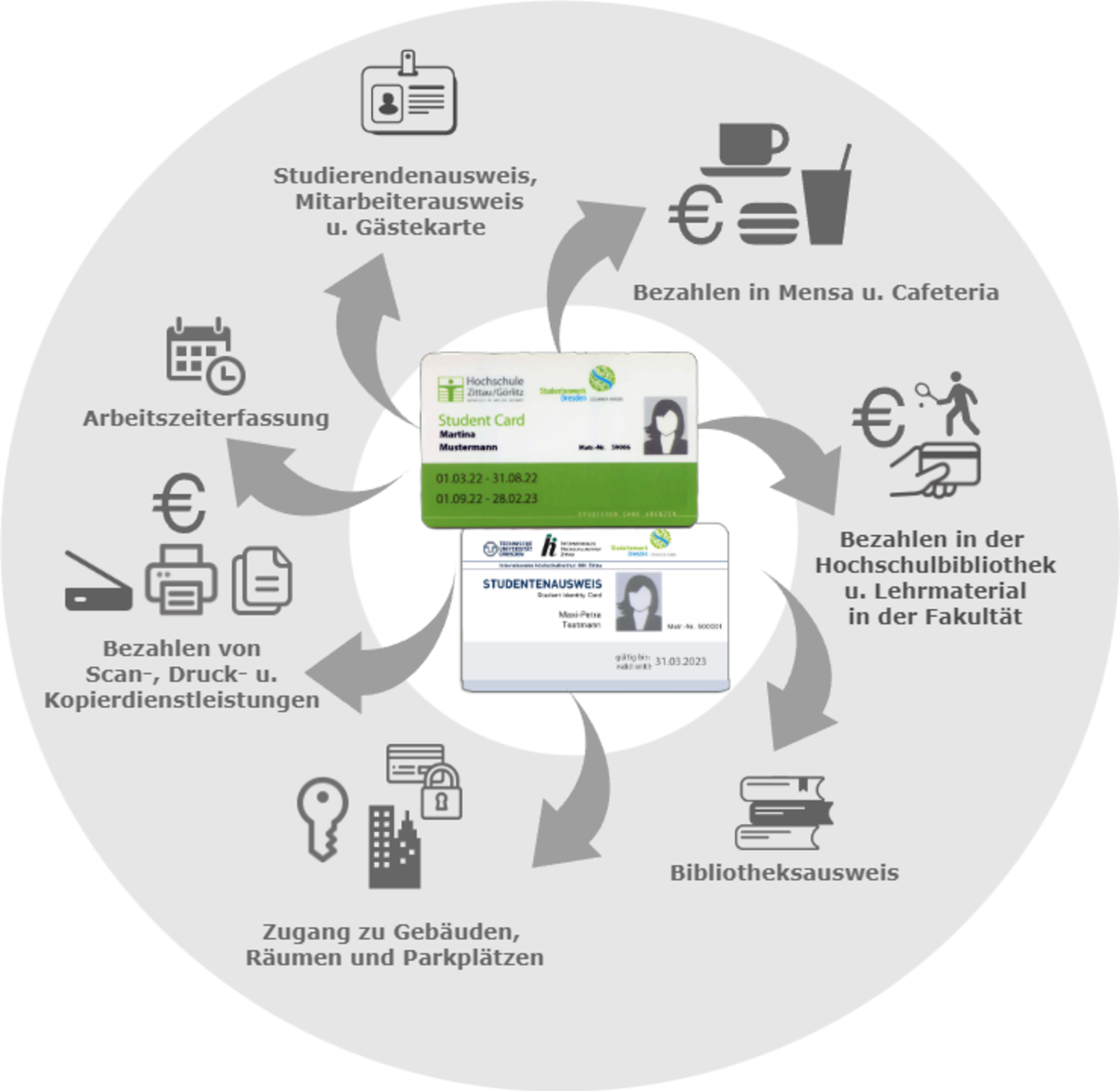
A major advantage of the card is that there is now just one wallet that can be used to pay for all services. This means you only need one recharge system, and you will no longer have to keep money in different wallets. The chip card is also valid throughout the entire Dresden 'Studentenwerk' network. For example, you can use the card to pay at the student canteens of TU Dresden or HTW Dresden.
Your contact person for the chip card

1st floor
What does the chip card look like and what data is stored on it?
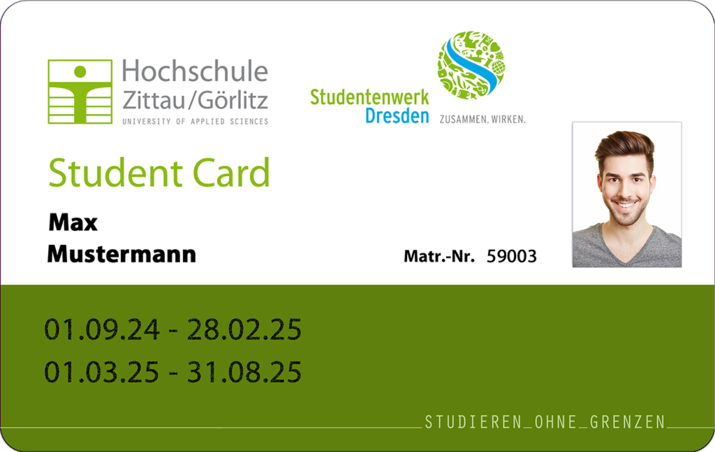
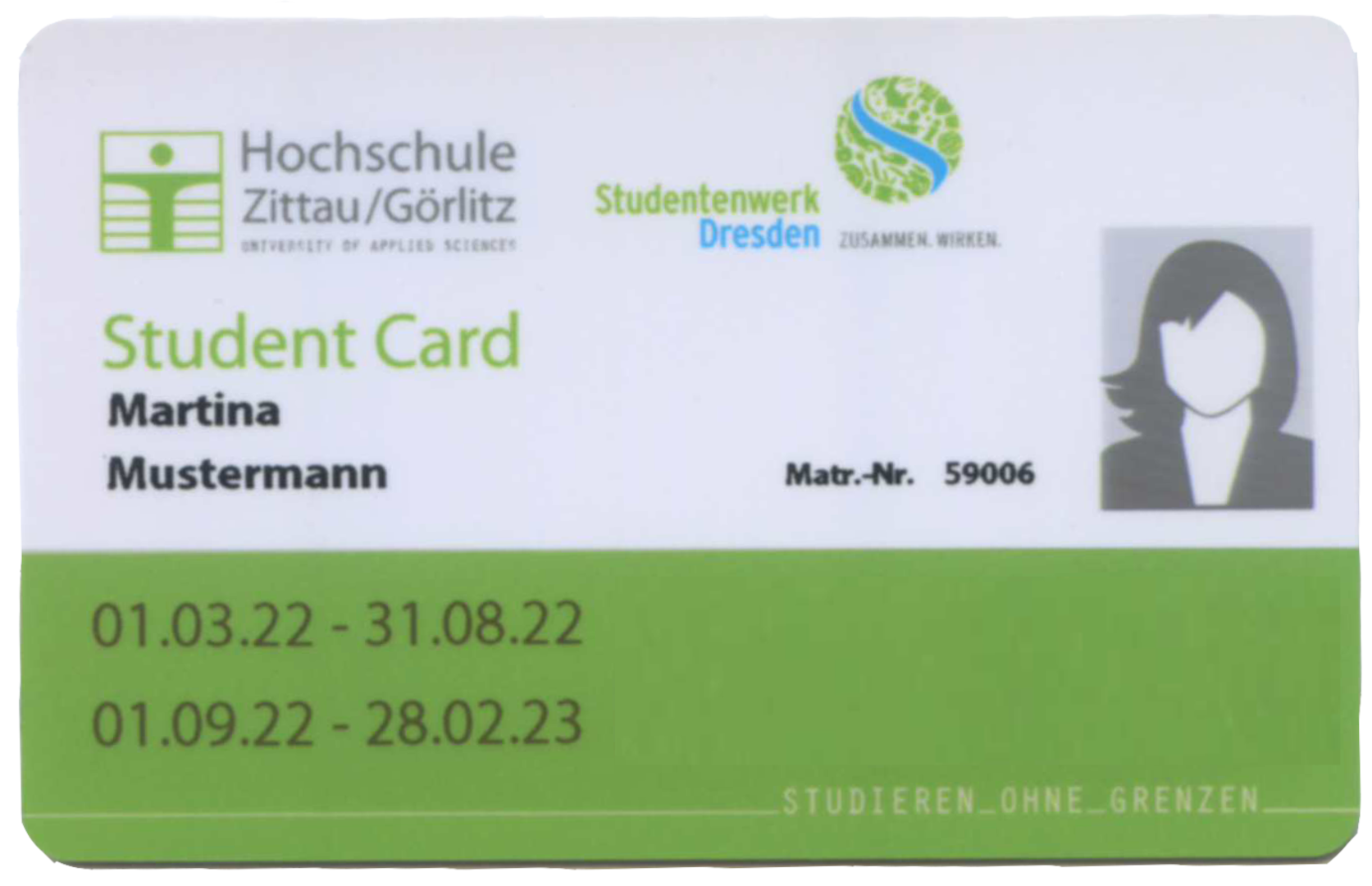
The following information is printed on the front of the Zittau/Görlitz University of Applied Sciences chip card:
Front:
- Logo, university name, 'Studentenwerk' (student union) logo
- Student Card (student ID card) / Campus Card (staff and other cards such as copy cards, external library cards)
- Slogan “Studying Without Borders”
- Photo on student ID cards and staff cards
- First name, last name
- Student ID number for student ID cards / Employee ID number for staff cards
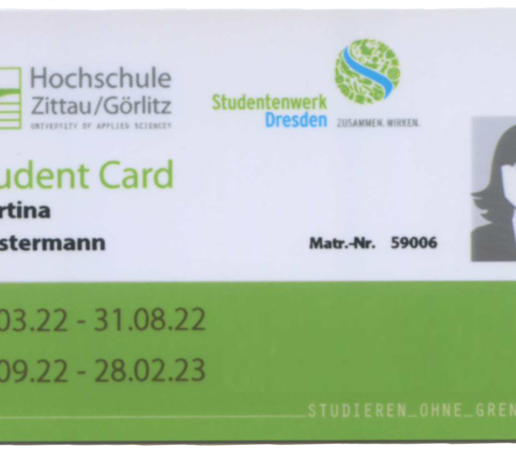
- Validity stamp for student ID cards: The card’s validity per semester (from the start to the end of the semester) is indicated as a date. Your card has two validity periods. The validity period for the current semester (for which the student is currently re-registered) is printed on the bottom line. The previous semester (if applicable) is printed on the top line.
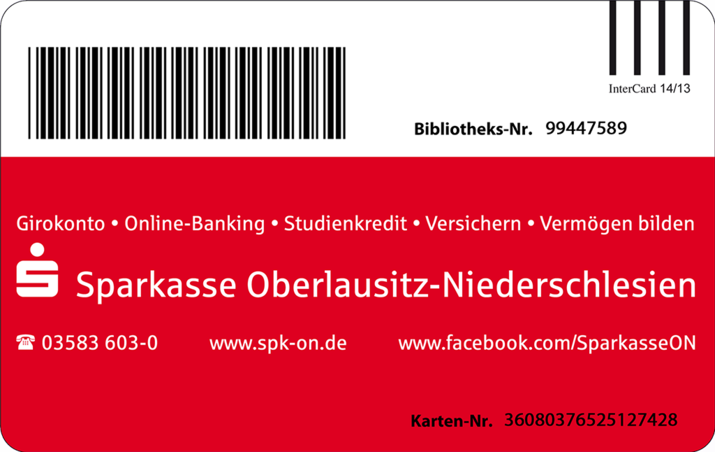
Back:
- Sponsor advertising space
- Orientation detection (barcode on the right, required for validation) only on student ID cards
- Library user number in plain text and as a barcode
- Unique card number (17-digit smart card serial number)
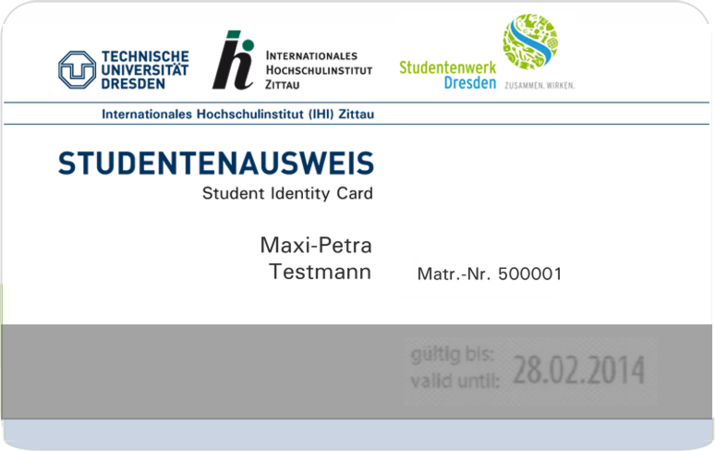
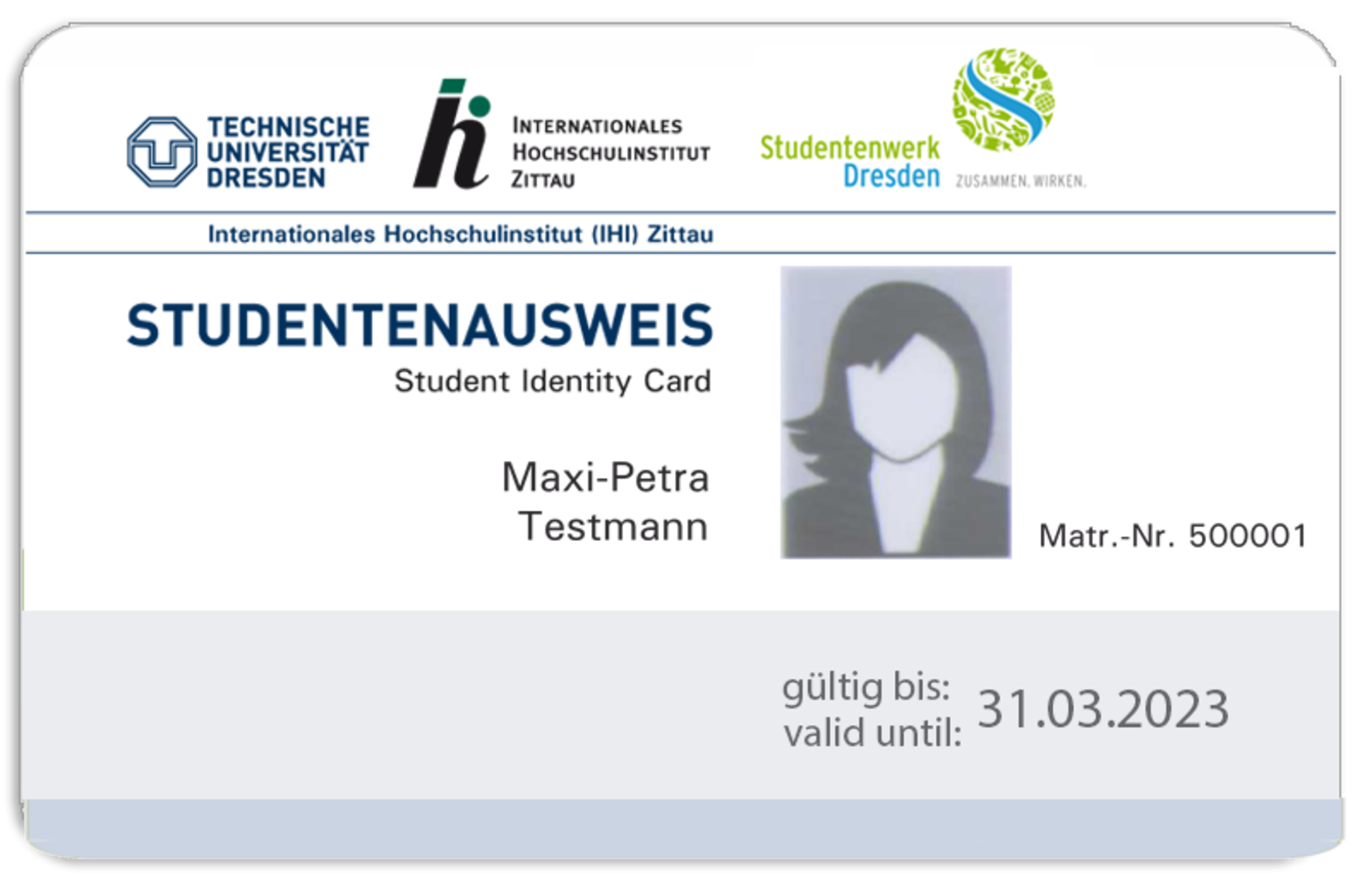
The card issued by the International University Institute (IHI) Zittau at TU Dresden serves as an access card, library card, payment card, and copy card for students, staff, and visitors. The following information is printed on the chip card in a visually visible format:
Front:
- Logo, university name, 'Studentenwerk' (student union) logo
- Student ID / Campus Card (staff and other cards such as copy cards, external library cards)
- First Name, Last Name
- Student ID number for student cards / employee ID number for staff cards
- Validity stamp (end of the respective semester) for student ID cards
Back side:
- Orientation indicator (bar on the right, required for validation) only on student ID cards
- Library user number in plain text and as a barcode
- Unique card number (17-digit smart card serial number)
The Mifare DESFire EV1 chip is used.
The following data is stored on the chip during card production: Card serial number
The following data is stored on the chip during card personalization:
- ID (student ID or employee ID)
- Library user number
- Personal Identification Number (PKZ; attributes for the 'Studentenwerk' (student union) cash register system: classification as employee, student, or guest)
- Validity dates (Card valid from / Card valid until)
- Card serial number
- University number (for differentiation in networked systems)
Information about the student wallet:
As soon as funds are loaded, the amounts are deposited into the student wallet and deducted by the respective applications. Additionally, you can set up a PIN for services such as copying, scanning, and printing if you wish.
Important information for students:
After your re-registration (by paying the semester fee), you must validate your student ID card and have a new validity stamp applied at the terminal. The validity is also stored on the card’s chip. For example, an expired, unvalidated card does not entitle you to eat at the cafeteria at student rates.
Therefore, please always re-register on time in the future and renew your card’s validity stamp at the designated terminals during the re-registration period. More information at: Validation
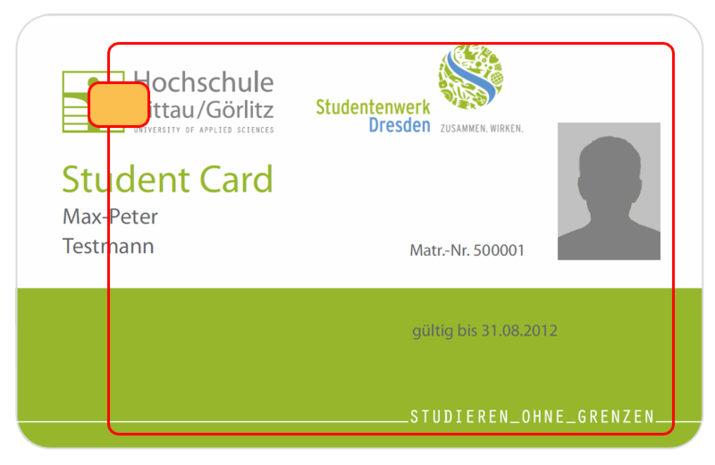
Your card contains information that you will need to access. It identifies you in certain systems (e.g., access control systems) and serves as a means of payment. Therefore, please handle your card with care!
Do not bend the chip card excessively! If your chip card breaks, you must apply for a new one! Some systems, such as copiers or validation machines, pull the card all the way in. It goes without saying that the card must remain in one piece for this to work. With contactless readers, the card will only work if the chip or antenna is undamaged!
It should not be kept in a back pocket or in a wallet. Use the plastic sleeve provided for storage! Avoid exposing the chip card to temperatures above 35 C° in the summer. For example, do not leave it in your car’s glove compartment or on the dashboard behind the windshield! Please make sure not to leave the chip card in your clothing, where it could be accidentally washed in the washing machine. The card should also not be used as an ice scraper and should always be kept clean! In short, you should treat the chip cards with the same care as you would your bank or debit card!
Issuing points: Where can I get my chip card?
If you need a chip card or have problems with the card, please contact the relevant department.
The colleagues will be happy to forward your inquiries if they cannot answer them themselves. Chip cards are issued during the respective office hours of the divisions.
Overview of relevant contact points and office hours:
-
Students: Initial issuance:
You will receive your chip card along with your enrollment documents in the mail. Please contact the staff at Admissions Office/Student Office
Replacement Card: How do I request a new card?
If your chip card is defective or you have lost it, or if the expiration date on your card is illegible or not printed at all (thermal strip damaged), please contact the Admissions Office/Student Office staff listed below. You can find the office hours here.
Replacement of a student ID card Due to Damage or Loss
 Simone KunzeStudent Services & International Affairs02763 ZittauTheodor-Körner-Allee 16Building Z I, Room 0.06
First floor+49 3583 612-4263Student Services & International Affairs02826 GörlitzBrückenstraße 1Building G II, Room 253
1st floor+49 3581 374-4263Students at the Görlitz site should contact the Student Secretariat in Görlitz
 Ines PosseltStudent Services & International Affairs02826 GörlitzBrückenstraße 1Building G II, Room B252
1st floor+49 3581 374-4262 -
You can pick up your Campus Card at the Human Resources Administration & Law division: Human Resources Office.
Your contact persons are:
B.A.Julia GroßeHuman Resources Administration & Law02763 ZittauTh.-Körner-Allee 16Building Z I, Room 1.21
1st floor+49 3583 612-4552Maria TschierschkeHuman Resources Administration & Law02763 Zittau16 Th.-Körner-AlleeBuilding Z I, Room 1.21
1st floor+49 3583 612-4540 -
Guest cards/user cards of the University Library:
The card is your user card in the University Library and is also used for self-checkout. No user data is stored on the cards. You can obtain the cards at the counter in the University Library. Access cards and University Library user cards can only be used to make copies, scans and prints for a fee (no private copies possible).
Guest cards for access and copy cards:
With copy cards, guests can copy, scan and print to different cost centers using the central copy machines. It is also possible to make private copies, scans and prints via the chip card and pay for them.
Your Contact Person for access cards:
 Heike PietschmannTechnical Administration & Facility Services02763 ZittauTheodor-Körner-Allee 16Building Z I, Room K.11
Basement+49 3583 612-3101Your Contact Person for Copy Cards:
Diplom in Environmental EngineeringUta JahnichTechnical Administration & Facility Services02763 ZittauTh.-Körner-Allee 16Building Z I, Room K.15
Basement+49 3583 612-4478 -
Students, Staff, Guest Passes:
Student Administration/Examination Office
TU Dresden Contact Page
Heike Effenberger Tel.: +49 3583 612 4122
Peggy Korschelt Tel .: +49 3583 612 4112 -
Master's degreeMariusz StelmachDigital Service Center02763 ZittauTh.-Körner-Allee 16Building Z I, Room 1.07
1st floor+49 3583 612-4387
Diplom in Computer Science (FH)Anke HojenskiDigital Service Center02763 ZittauZittau, Th.-Körner-Allee 16Building Z l, Room 1.08
1st floor+49 3583 612-4296
Loss / defect / problems
-
If you lose your card, you should report the loss to the appropriate office to prevent unauthorized use of your card. These are:
- HSZG Students: Admissions Office/Student Office
- HSZG university staff: Human Resources
- IHI students and staff: IHI
Please also notify the University Library so that your card can be blocked in the library system.
Do you still have money loaded on your lost card?
If you have money loaded on your card, it is advisable to report the loss immediately to the 'Studentenwerk' (student union) . A daily reconciliation of blocked cards is performed, but misuse between system reconciliations cannot be completely ruled out. By taking the initiative yourself, you ensure that the person who finds or steals your chip card cannot use the funds stored on it.
Contact information for the Dresden 'Studentenwerk' (student union):
Torsten Christoph
Head of Kitchen
Zittau student canteentorsten.christoph(at)studentenwerk-dresden.de
Phone: 03583 6881-32
To report a loss, you must provide your chip card number to the 'Studentenwerk' (student union) and your user number to the University Library. If you have not written down these numbers, please inquire about them at the relevant offices (Admissions Office, Human Resources, or IHI).
-
If you find a card, please turn it in at one of the following locations:
Zittau/Görlitz University of Applied Sciences:
- HSZG Students: Admissions Office/Student Office
- HSZG University Staff: Human Resources
- HSZG Guest Cards (access cards, copy cards): Technical Administration & Facility Services
If you are unable to visit the Student Office or Human Resources during their regular business hours, you may also place the card in an envelope and drop it in the university mailbox or send it to us by mail.
- Students, Staff, IHI Guest Cards: IHI
- University Library Guest Cards/User Cards: HSB
- Student canteen cards (student canteen meal service only): Contact your student canteen
If you have any questions, please contact:
Anke Hojenski, Administrative IT
Building Z I / Room 1.08
Tel. 03583 612-4296Email: a.hojenski(at)hszg.de
-
General Problems with the Card
I have lost my card or it is defective: see “Lost or Defective Card”
The expiration date on the card has passed or is no longer legible: Validation terminals
The TRW strip on my card displays “Card invalid” or “Card blocked”: Validation terminals
I’m having problems with a specific card reader:
Please test your card on another reader. This will help you determine whether your card or the reader is defective. Ask your colleagues or fellow students if their cards work on the device in question. For example, if your card doesn’t work when entering a building, also test it on another device that isn’t part of the access control system. This could be, for instance, at the student canteen during lunch or, if you use the time-tracking system, at a time clock. The quickest and easiest way is to simply insert the card into the card reader of a central copier. If your card is recognized there, it is not defective. In this case, there is likely a problem with the access system. If your card is not recognized on other devices as well, it is likely defective and a new card must be issued.
Important: If your card is rejected by a device and displays an error number or message, please note down the number or the exact wording of the message and report it to the appropriate departments (see Contacts). A precise description of the error greatly helps in narrowing down the problem. -
I can no longer use my card to make payments; my card is being declined (for example, with the message "Card canceled"), and no balance is displayed
The following errors may occur during payment:
Student Card: “Invalid card date” error
The card is declined with information indicating an invalid card date. You have not yet renewed your card for the current semester. To use it again, renew your card’s validity at the validation terminals.
Student Card / Campus Card: Error on the “
” wallet: Message: “Card deleted” or “Deletion stamp applied to card” or “Card invalid” or “Card locked”You interrupted the last transaction (top-up or payment). As a result, your current balance could not be credited back to the card, and the card was automatically locked. This can happen, for example, if you removed the card from the reader too quickly.
Place the card on the same terminal again so that the last transaction can be completed. If the error persists, please go to a terminal in the student canteen. There, the card can be repaired using the “Unlock Deleted Card” function. As a rule, the card cannot be repaired directly by the cashier, but only by the cafeteria management or an authorized person (Ms. Kreschel in Görlitz, Mr. Christoph in Zittau).
If you experienced problems with your transaction at a copier, the card must be repaired at the student canteen.
Deletion card error at the copier:
In the example, you can see a card error that occurred at the cafeteria cash register in Görlitz (Terminal 100). The code “38” indicates a cash register.
Deletion card errors at the university cash register:
You can find the device numbers for the university cash registers and copy machines at the cash registers and copy terminals.
-
If you have loaded money onto your wallet, please contact the 'Studentenwerk' (student union) and have the money refunded or transferred to your new card. To do so, present the appropriate card-blocking certificate. You will receive this automatically from the registration offices listed above after you have reported your card as lost or defective.
Case: Defective Card
Since it must be ensured that the data has been synchronized between the payment systems of the 'Studentenwerk', the university, and the copying service, you can have your funds paid out or transferred no sooner than two days after your card has been blocked. To do so, present your defective card, the block certificate, and—if you wish to have the balance transferred—your new card at the cafeteria cashier’s desk.
Case: Lost card
Since the card is recovered in 90 percent of all cases, the 'Studentenwerk' (student union) will pay out the remaining balance after a waiting period of fourteen days following the report of loss. To do so, go to the student canteen cashier’s desk with the card suspension certificate for the lost card and, if you wish to have the funds transferred to a new card, present your new card.
-
If your card is defective, please contact the following service centers:
- HSZG Students: Admissions Office
- HSZG University Staff: Division of Human Resources Administration & Law
- IHI students and staff: IHI
You can find the appropriate contacts for reporting the issue here: Issuing Offices
Since misuse is impossible, you do not need to report the defect to the University Library or the 'Studentenwerk' (student union). We will automatically notify the relevant departments that your card has been deactivated.
-
General Problems with the Card
I have lost my card or it is defective: see “Lost or Defective Card”
The expiration date on the card has passed or is no longer legible: Validation terminals
The TRW strip on my card displays "Card invalid" or "Card blocked": Validation terminals
I’m having problems with a specific card reader:
Please test your card on another reader. This will help you determine whether your card or the reader is defective. Ask your colleagues or fellow students if their cards work on the device in question. For example, if your card doesn’t work when entering a building, also test it on another device that isn’t part of the access control system. This could be, for instance, at the student canteen during lunch or, if you participate in the time-tracking system, at a time clock. The quickest and easiest way is to simply insert the card into the card reader of a central copier. If your card is recognized here, it is not defective. In this case, there is likely a problem with the access system. If your card is not recognized by other different devices, it is likely defective and a new card must be issued.
Important: If your card is rejected by a device and displays an error number or message, please note down the number or the exact wording of the message and report it to the appropriate departments (see Contacts). A precise description of the error helps significantly in narrowing down the problem. -
A replacement card must be requested in writing and costs 12 € at Zittau/Görlitz University of Applied Sciences if the loss is proven to be the student’s or university staff member’s own fault, in accordance with the university’s fee schedule.
At the IHI Zittau, a replacement card costs 25 € according to the fee schedule.
If the card is damaged through no fault of your own, the replacement card is free of charge.
You can obtain the new card at the registration offices listed above (see also: Issuing Offices).
If you lose your card, a new library card number will be generated for you. Your old number will be deactivated in the library’s system. You must register with the library using your new number. If your card is defective, your library card number will be transferred to the new card, and you do not need to take any action.
library card
-

You can find your library card number on the back of your card, both as a number and as a barcode. You can use your Campus Card as identification at the University Library. Your library card number is printed on the back of your card as a number and a barcode. It is also stored on the chip inside your card. You can scan your card using either the barcode scanner or the chip card reader.
Paying with a card: at the student canteen, the University Library, university sports, and for course materials in the faculties
-
Eating at the student canteen:
You can use your Campus Card to pay at cafeterias and snack bars in Zittau and Görlitz. The chip card is also valid throughout the entire 'Studentenwerk' (student union) network. For example, you can use the card to pay at the student canteen at TU Dresden or HTW Dresden.
Payments at the university:
With the Campus Card, students and staff at Zittau/Görlitz University of Applied Sciences and the IHI Zittau can pay for university services. At the University Library, for example, this includes late fees and interlibrary loan fees. At the university sports department, you can pay for sports courses and equipment rental fees. At the University Data Centre, you can purchase printouts or photocopies, and in the faculties, you can buy teaching materials.
-
You can make cashless payments with your student ID card in the student canteens and cafeterias. For more information, visit: https://www.studentenwerk-dresden.de/mensen/bezahlen-emeal-campuscard.html
-
University Library: Late fees, interlibrary loan fees, book replacement costs, costs for purchasing weeded books, fee for new library cards (in case of loss)
Zittau University Library
Hochwaldstr. 12, 02763 Zittau
Tel. 03583 612-3211
hsb(at)hszg.deGörlitz University Library
Furtstr. 1a, 02826 Görlitz
Tel. 03581 374-3221
hsb-gr(at)hszg.de -
Printing and copying jobs; design and printing of posters, flyers, brochures, and other presentation materials; preparation of print files; post-press processing (stapling, binding, cutting, folding, etc.). For more information: University Printing Office
HRZ: Graphics and printing service
Kerstin GrundmannDigital Service Center02763 ZittauHochwaldstr. 2aBuilding Z V, Room 05
First floor+49 3583 612-4339Print shop:
 Sylvia Langkowski
 -
Payment for excursions is possible at the cash desks in the University Library and in the Faculty of Mechanical Engineering.
-
Student Services & International Affairs:
Notarizations
 Annett JähnichenStudent Services & International Affairs02763 ZittauTheodor-Körner-Allee 16Building Z I, Room 0.16
First floor+49 3583 612-3041Own contributions to STIBET programs (DAAD)
Simone KunzeStudent Services & International Affairs02763 ZittauTheodor-Körner-Allee 16Building Z I, Room 0.06
First floor+49 3583 612-4263Faculty of Electrical Engineering and Computer Science' (Department of Computer Science):
HRZ Hannover Course Materials, Pre-Course Registration Fees, Printing and Copying Services
 Maria IsendahlFaculty of Electrical Engineering and Computer Science'Computer Science Department02826 GörlitzBrückenstraße 1Building G II, Room A103
First floor+49 3581 374-3510Faculty W (Business Administration and Engineering Management):
Print Services and Scripts
Ulrike SchmidtFaculty of Business Administration and Engineering Management02763 ZittauSchliebenstr. 21Building Z II, Room 009
First floor+49 3583 612-4625Faculty N (Natural and Environmental Sciences):
Teaching material
 Diplom in Business AdministrationAnke Zenker-HoffmannFaculty of Natural and Environmental Sciences02763 ZittauKülzufer 2Building Z VI, Room 205
2nd upper floor+49 3583 612-4706Regina HeidrichFaculty of Natural and Environmental Sciences02763 ZittauKülzufer 2Building Z VI, Room 204
2nd upper floor+49 3583 612-4755+49 3583 612-3709Visiting TimesMonday, Tuesday, Thursday: 06:30 - 11:00; 12:30 - 14:30; Wednesday and Friday: 06:30 - 11:00Faculty (M) of Mechanical Engineering:
Teaching material
 Ilona Hörger02763 ZittauSchwenninger Weg 1Building Z VII, Room 126
1ST FLOOR+49 3583 612 4813Center for cross-faculty / trans-faculty teaching / Department of Languages:
Certificates from the University Language Centre; Printing and Copying Services
 Karolin MüllerUniversity Language Centre02763 ZittauSchwenninger Weg 1Building Z VII, Room 313
+49 3583 612-4841 -
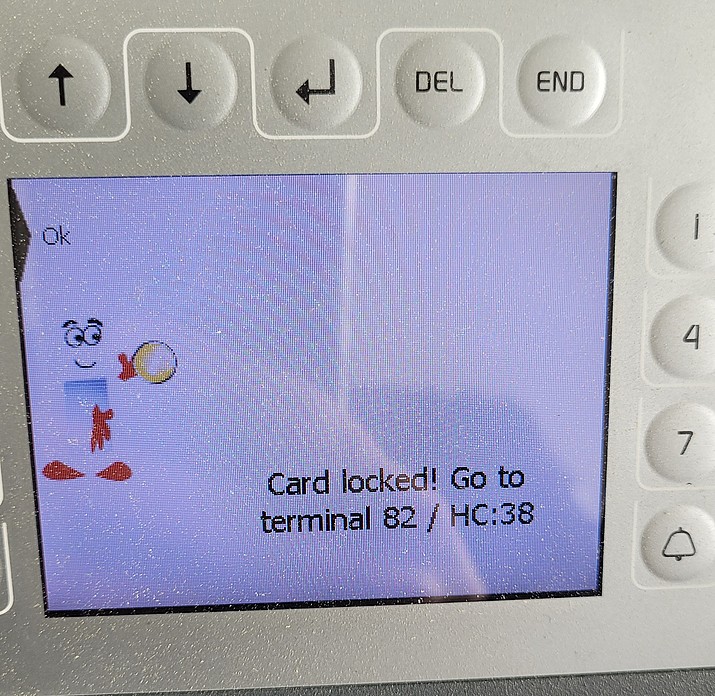
Example of a deletion card error at the copier, message: "Card locked". I can no longer use my card to make payments; my card is being declined (for example, with the message "Card canceled"), and no balance is displayed
The following errors may occur during payment:
Student Card: “Invalid card date” error
The card is declined with information indicating an invalid card date. You have not yet renewed your card for the current semester. To use it again, renew your card’s validity at the validation terminals.
must be performed.
If you encountered problems with your transaction at a copier, the card must be repaired at the student canteen.
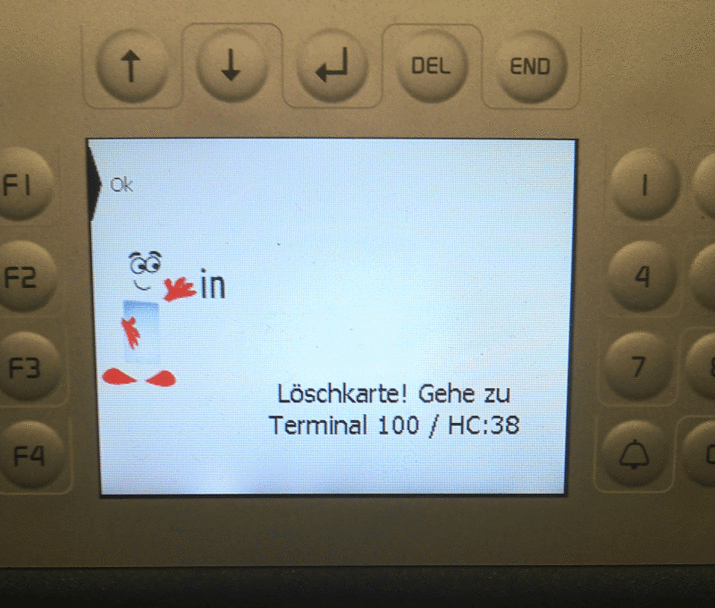
Loeschkarten Error A transaction cancellation error that occurred at the cafeteria cash register in Görlitz (Terminal 100). Type 38 provides information about a cash register. Error in the wallet: Message: "Card deleted" or "Card marked as deleted" or "Card invalid" or "Card locked," Error 448
You interrupted the last credit or debit transaction. As a result, your current balance could not be credited back to the card, and the card was automatically locked. This can happen, for example, if you removed the card from the card reader too quickly.
Place the card on the same terminal again so that the last transaction can be completed. If the error persists, please go to a terminal in the student canteen. There, it can be resolved using the “Unlock Deleted Card” function. As a rule, the card cannot be repaired directly by the cashier staff, but only by the cafeteria management or an authorized person (Ms. Kreschel in Görlitz, Ms. Kothe in Zittau).
If you experienced problems with your transaction at a copier, the card must be repaired at the student canteen.
-
Cash Registers at the University
Master's degreeMariusz StelmachDigital Service Center02763 ZittauTh.-Körner-Allee 16Building Z I, Room 1.07
1st floor+49 3583 612-4387'Studentenwerk' (student union) Cashiers' Offices in Dresden
Torsten Christoph
Head Chef
Zittau student canteentorsten.christoph(at)studentenwerk-dresden.de
Phone: 03583 6881-32
https://www.studentenwerk-dresden.de/mensen/details-mensa-zittau.html
Load Credit onto the Card / Questions About the Wallet
-
Recharge stations are located in the student canteens (using an EC card at the recharge terminals) and at the student canteen cash registers, and there is also an EC recharge terminal in Building ZI, right next to the validation terminals. At the cash registers in the student canteens, you can top up your card using a checking account card, debit card, credit card, or via smartphone and smartwatch payments. Cash payments are also accepted at the student canteen cash registers.
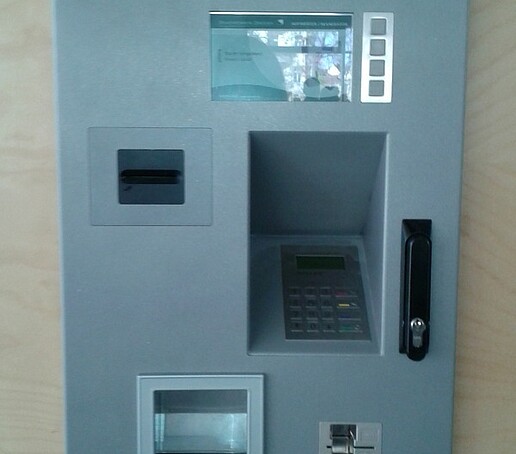
EC-top-up machines in the student canteen 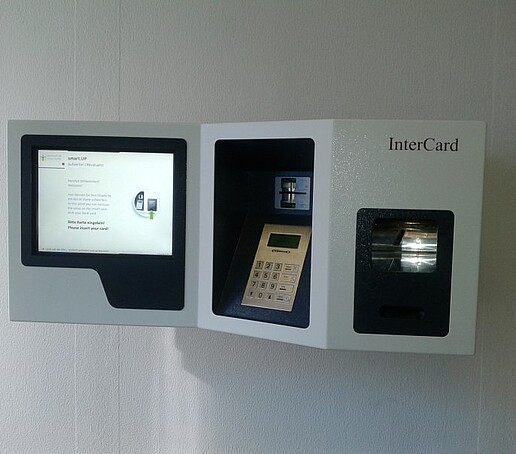
EC Upgrader at Building ZI -
The maximum balance on your chip card is 150 EUR. You can add funds to it in various amounts (at the 'Studentenwerk' (student union): up to 100 EUR; at Building III in Zittau: up to 50 EUR). The minimum amount for a top-up at the EC card reload stations and at the student canteen cash registers is 5 EUR.
In exceptional cases (for example, for guests of the University Library), the minimum top-up amount is 0.50 EUR. Please use the top-up option at the cafeteria cash registers for this purpose.
-
There is no restriction at most cash registers, but there should be a minimum amount of €0.18 on the card to use the photocopier.
-
You can set up an Autoload plan at the cafeteria cash registers. With this plan, your card is reloaded via direct debit from your account. If your balance falls below the minimum balance you have set, the cashier will ask you, as an Autoload user, if you would like to add more funds. These funds will be deducted from your bank account via direct debit. You can sign up for the Autoload service directly at the cafeteria cash registers. If you lose your card, you’ll need to re-enroll in the service, as it is linked to the card and not to the person.
Further information: 'Studentenwerk'
Please note: If your account has insufficient funds, your card will be automatically blocked in the 'Studentenwerk' (student union) point-of-sale system. The resulting charges will be billed to you. You can unblock the card by paying the direct debit amount plus an additional fee of €3 in cash at the cafeteria cash registers.
-
If you have loaded money onto your wallet, please contact the 'Studentenwerk' (student union) and have the money refunded or transferred to your new card. To do so, present the appropriate card-blocking certificate. You will receive this automatically from the registration offices listed above after you have reported your cards as lost or defective.
Case: Defective Card
Since it must be ensured that the data has been synchronized between the payment systems of the 'Studentenwerk' (student union), the university, and the copy service, you can have your funds paid out or transferred no earlier than two days after your card has been blocked. To do so, present your defective card, the card suspension certificate, and—if you wish to have funds transferred—your new card at the cafeteria cashier’s desk.
Case: Lost card
Since in 90 percent of all cases the card is eventually found, the 'Studentenwerk' (student union) will pay out the remaining balance after a waiting period of fourteen days following the report of loss. To do so, go to the student canteen cashier’s desk with the card suspension certificate for the lost card and, if you wish to have the funds transferred to a new card, present your new card.
-
Please have your balance refunded at the cafeteria cash registers at the end of your period of use (disenrolment (from university) or when university staff members leave their positions).
Your card will be collected upon termination of your employment. Students may keep their card; however, it will be marked as “invalid” by the Student Affairs Office and thus deactivated. This will be indicated both on the card’s magnetic stripe and on the chip.
Please note: You cannot withdraw money from a blocked card. Therefore, you must arrange for this to be done at the Admissions Office before your disenrolment (from university)!
-
The amounts are recorded in the chip card’s wallet. In addition, the 'Studentenwerk' (student union) maintains a so-called “shadow account.” Only the transactions and the chip card number are stored here. The shadow account allows you to withdraw your balance even if your card has been lost or can no longer be read due to a technical malfunction. The shadow account is reconciled daily with the various point-of-sale systems ('Studentenwerk' (student union), university, and copy service). The account is linked to the chip card and must be closed if the card is lost, defective, or no longer in use.
With the 'Studentenwerk' (student union) card service, you can view your transactions, block your card online in the 'Studentenwerk's point-of-sale system, change your direct debit settings, and set the maximum top-up amount or the minimum balance (the amount at which the card should automatically be reloaded). Information about the card service
The card service is only available to users who have registered for the SEPA direct debit reload service (Autoload) with the 'Studentenwerk' (student union).
-
If there are insufficient funds in your account, your card will be automatically blocked in the 'Studentenwerk's point-of-sale system. You will be charged for any resulting costs. You can unblock the card by paying the amount due, plus an additional fee of 3 €, in cash at the cafeteria cash registers. You must contact the 'Studentenwerk' (student union) to resolve this issue, as the university has no control over the student wallet. We cannot block or unblock the student wallet on your card.
-
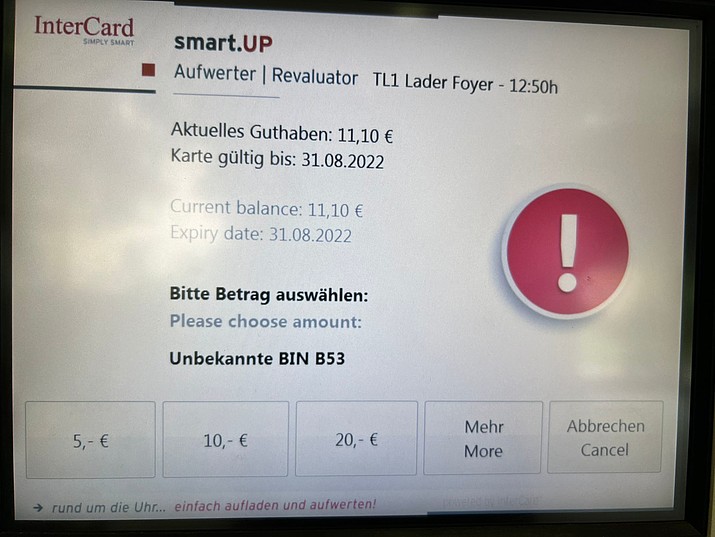
BIN_Error at the revaluator in Görlitz Unknown BIN B53 (affected devices: card reload machines and cafeteria cash registers):
The payment system is having trouble recognizing your bank card/debit card. Please report this to the staff at the student canteen, providing the error number.
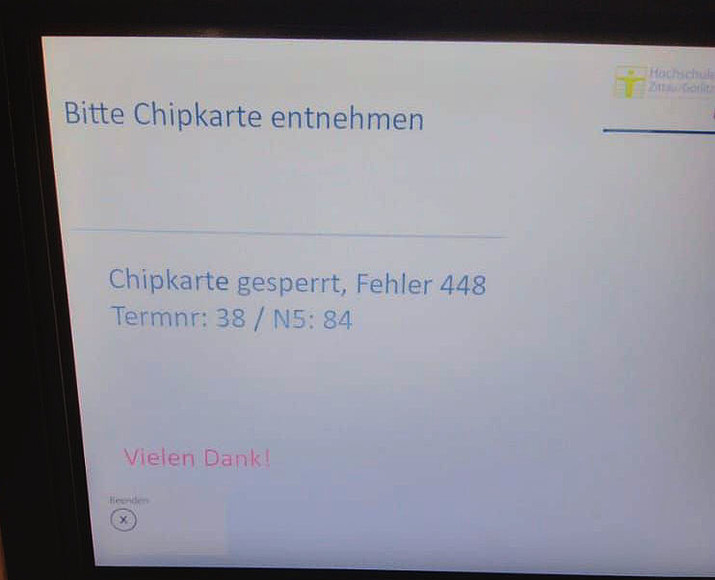
Card locked" error, error 448 at the revaluator Error in the wallet: Message: "Card deleted" or "Card stamped as deleted" or "Card invalid" or "Card locked," Error 448
You interrupted the last credit or debit transaction. As a result, your current balance could not be credited back to the card, and the card was automatically locked. This can happen, for example, if you removed the card from the card reader too quickly.
Place the card on the same terminal again so that the last transaction can be completed. If the error persists, please go to a terminal in the student canteen. There, the card can be fixed using the “Unlock Deleted Card” function. As a rule, the card cannot be repaired directly by the cashier but only by the cafeteria management or an authorized person (Ms. Kreschel in Görlitz, Mr. Christoph in Zittau).
If you experienced problems with your transaction at a copier, the card must be repaired at the student canteen.
-
Contact information for the Dresden 'Studentenwerk' (student union):
Torsten Christoph
Head Chef
Zittau student canteentorsten.christoph(at)studentenwerk-dresden.de
Phone: 03583 6881-32
https://www.studentenwerk-dresden.de/mensen/details-mensa-zittau.html
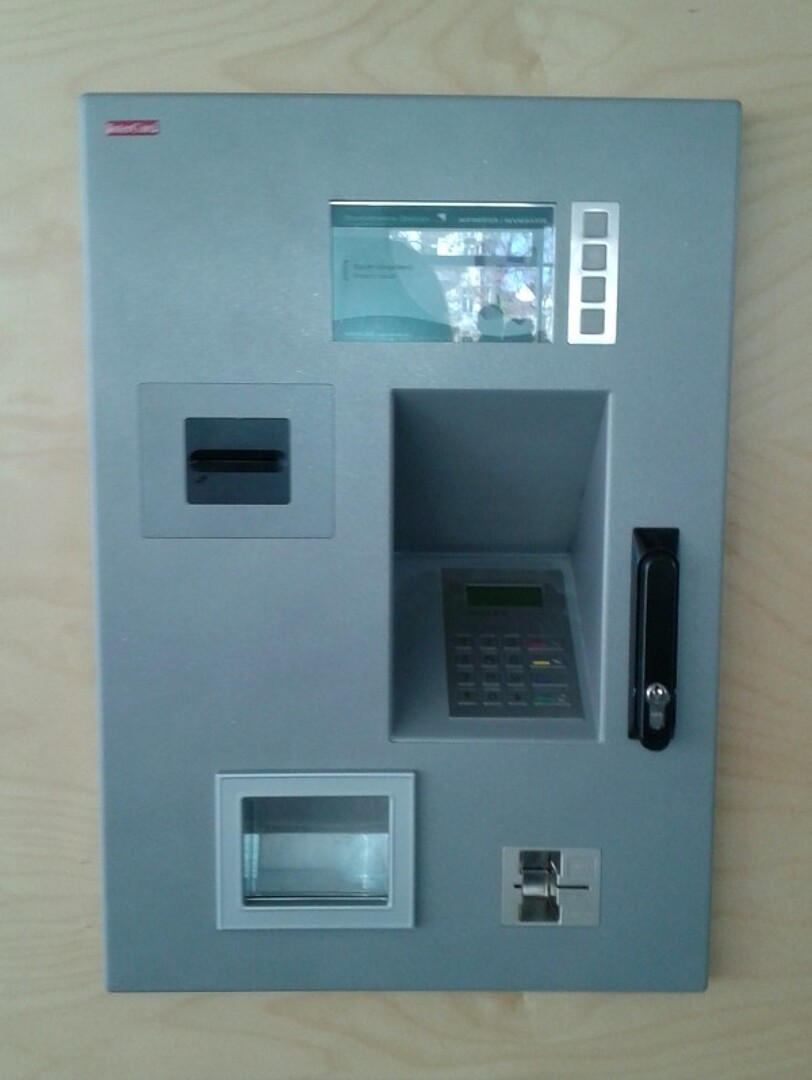
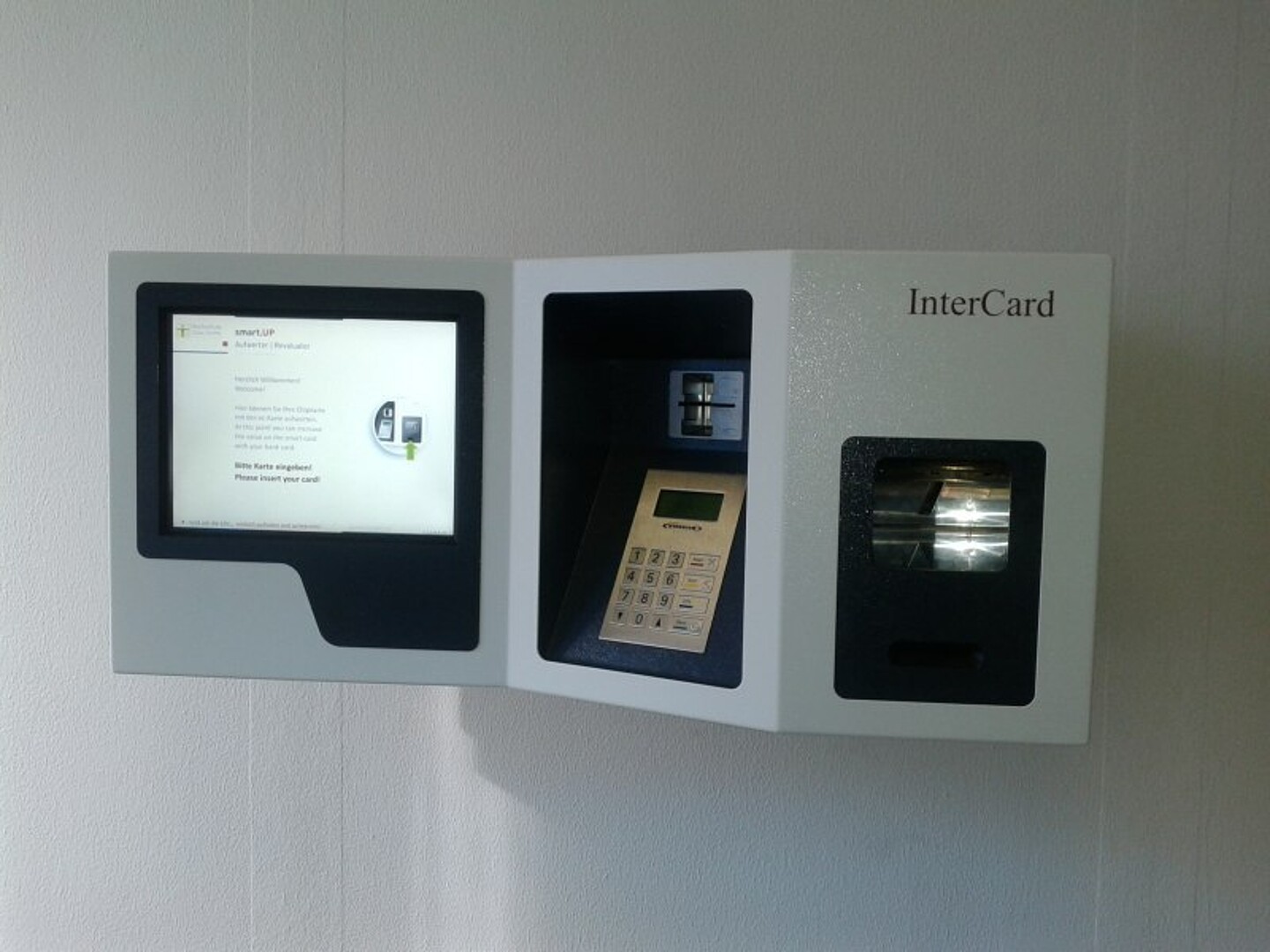
Scanning, Printing, and Copying Services
-
Throughout the university, you will find central photocopiers operated by an external service provider.
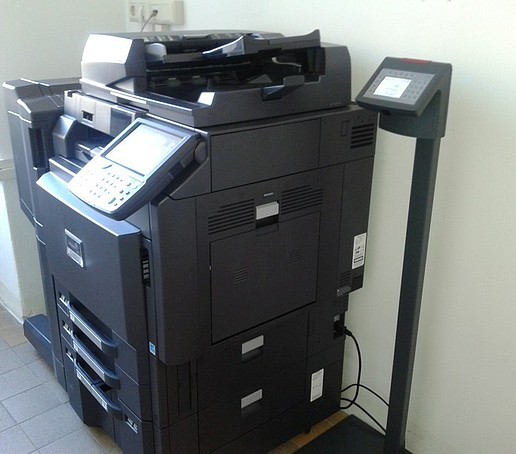
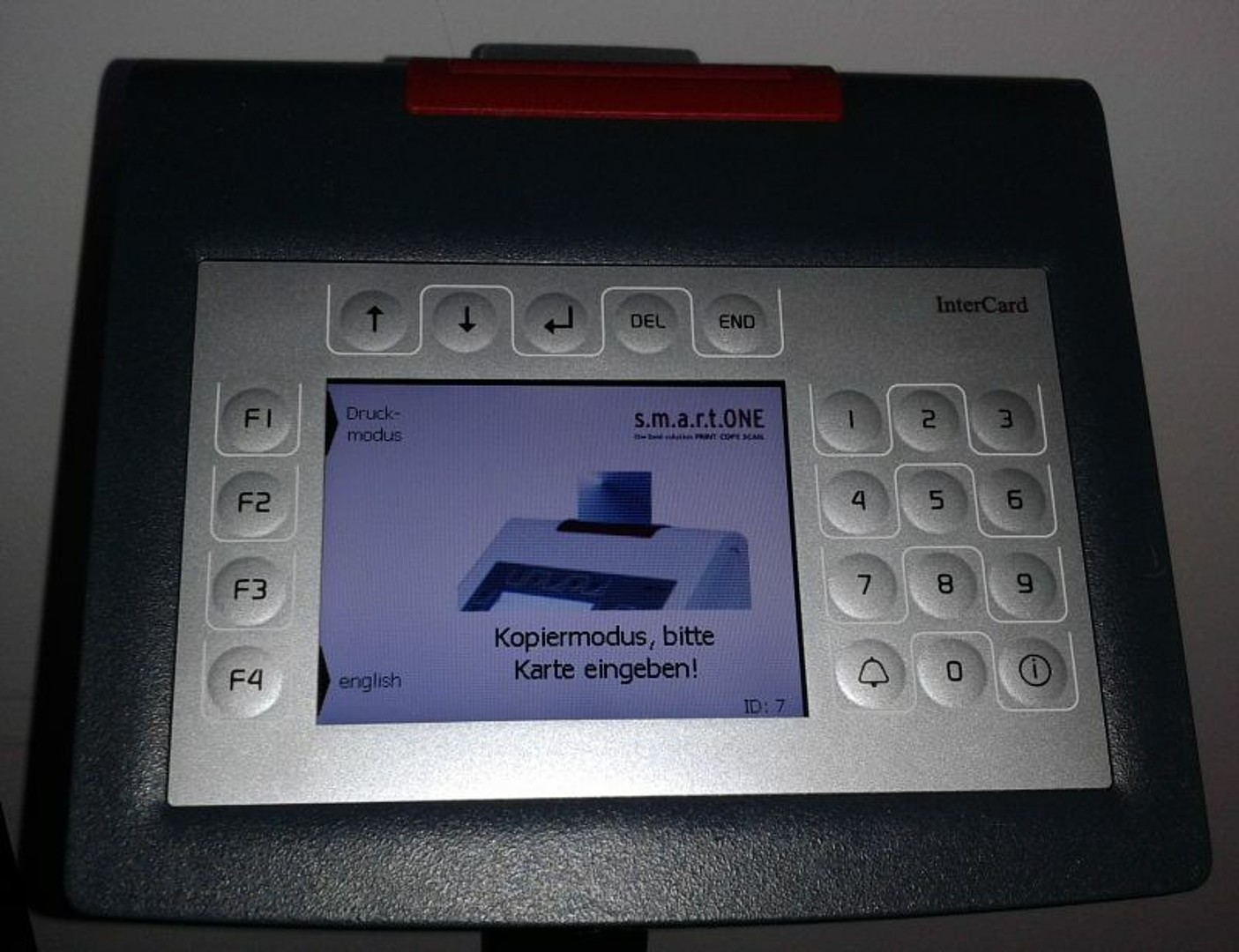
Central copier with card reader in Building ZI 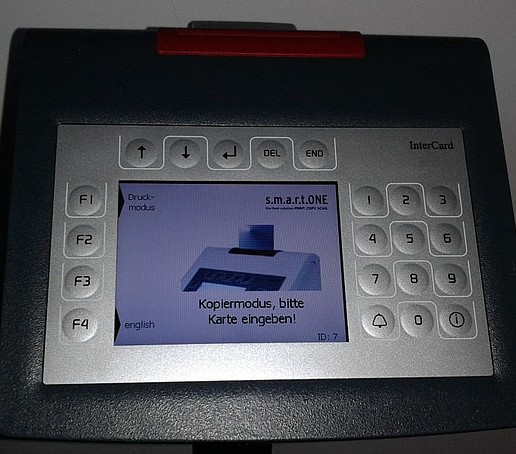
Card reader -
Check Print Jobs
Print jobs that have already been submitted but have not yet been printed can be viewed on the following pages and deleted if necessary:
- https://drucken.zi.hszg.de (Zittau campus)
- https://drucken.gr.hszg.de (Görlitz campus)
The pages listed above are accessible only within the university network or from outside via VPN!
Please note that the printer “ZI-Oeffentliche-Drucker” always prints to the server drucken.zi.hszg.de, and the printer “GR-Oeffentliche-Drucker” always prints to the server drucken.gr.hszg.de!
Print Output
To retrieve print jobs, simply insert your Student or Campus Card into the card reader on any public printer equipped with one, select the print mode on the card reader, and choose the print job you wish to retrieve.
The print job is immediately sent to the printer and printed.
Scan Function
The central multifunction devices (copiers/printers/scanners) equipped with card readers can be used for scanning.
After inserting the Campus or Student Card into the card reader and selecting the print mode on the card reader, select the scan function and choose “scan_HSZG” as the destination.
Further processing of scanned documents
The scanned documents can be accessed on the following pages (under “Scan Downloads”):
- https://drucken.zi.hszg.de (Zittau campus)
- https://drucken.gr.hszg.de (Görlitz campus)
The pages listed above are accessible only within the university network or from outside via VPN!
Please note that the devices at the Zittau campus always scan to the server drucken.zi.hszg.de, and the devices at the Görlitz campus always scan to the server drucken.gr.hszg.de!
-
Copying, printing:
- A4 black and white: 0,05 €
- A4 color: 0,09 €
- A3 black and white: 0,10 €
- A3 color: 0,18 €
- Duplex prints correspond to two pages.
Scanning:
- black and white, color: 0,015 €
-
Your chip card should still have a minimum balance of € 0.18 (equivalent to an A3 color print). If you have less credit, you will be turned away at the photocopier reading stations.
The same applies if you send a print job to the photocopier that exceeds the minimum amount.
-
If you see the following message on the card reader: “Delete Card,” “Delete Stamp Applied to Card,” “Card Invalid,” or “Card Locked,” your wallet has been locked. You can find help here: Loss / Malfunction / Problems, under the subheading “Problems Paying with the Card.”
-
Technical faults and problems (e.g. toner or paper is used up):
Diplom in Environmental EngineeringUta JahnichTechnical Administration & Facility Services02763 ZittauTh.-Körner-Allee 16Building Z I, Room K.15
Basement+49 3583 612-4478Copies for official use:
Ms. Jahnich is also your point of contact if you would like to activate your card for making copies at the university’s expense (cost center).
Technical Questions:
If you have technical questions (for example, regarding copying, scanning, and printing), please contact the University Data Centre or visit the University Data Centre’s website for more information about these services.
If you have any problems with your card, please contact:
Diplom in Computer Science (FH)Anke HojenskiDigital Service Center02763 ZittauZittau, Th.-Körner-Allee 16Building Z l, Room 1.08
1st floor+49 3583 612-4296

Access system
-
Your Campus Card grants you access to buildings, parking lots, laboratories, computer labs, and special-purpose rooms. You can identify restricted-access areas by the card readers installed there. Students are granted access to individual buildings until 10:00 p.m. University staff or authorized individuals with the appropriate authorization (e.g., the Student Council) have unlimited access.
The necessary data is automatically generated upon enrolment or hiring and transmitted to the access system. This process is handled separately for each university location (Zittau or Görlitz). If you change locations, please contact the listed representatives.
Access to specific laboratories, offices, or rooms can be obtained from the responsible administrator in the respective faculty.
Access to specific sports facilities is managed by the University Sports staff.
-
Access to buildings and parking lots:
If you have problems accessing the buildings or have problems with the parking lot barriers, please contact us:
Contact person access:
Steffen NeumannTechnical Administration & Facility Services02763 ZittauTh.-Körner-Allee 16Building Z I, Room K.26
Basement+49 3583 612-4899Access to special rooms:
You can obtain access to special laboratories, classrooms, or rooms by contacting the appropriate administrator in the respective faculty. You can find the contact persons in the faculties here.
Access to special sports facilities is handled by the University Sports staff.
-
Technical problems, access system:
Diplom in Computer Science (FH)Jörn WussackDigital Service Center02763 ZittauZittau, Hochwaldstr. 2aBuilding Z V, Room 111
1st floor+49 3583 612-4222Digital Service Center02826 GörlitzGörlitz, Brückenstraße 1Building GII, Room 072
Basement+49 3581 374-4222Contact person for chip card programs, data transmission:
Diplom in Computer Science (FH)Anke HojenskiDigital Service Center02763 ZittauZittau, Th.-Körner-Allee 16Building Z l, Room 1.08
1st floor+49 3583 612-4296
Students: Validation After Re-registration
Once you have completed re-registration (by paying the semester fee and re-registering for the new semester), you must validate your student ID card and have a new validity stamp applied at the terminal. The validity period is also stored on the card’s chip. For example, an expired, unvalidated card does not entitle the holder to eat at the cafeteria at student rates. Therefore, please always re-register on time and renew the validity stamp on your card at the designated terminals during the re-registration period.
-
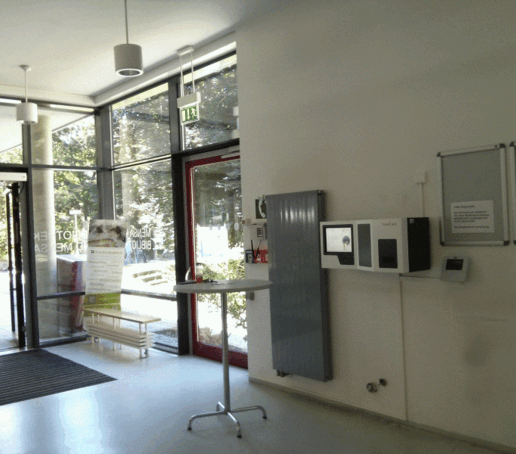
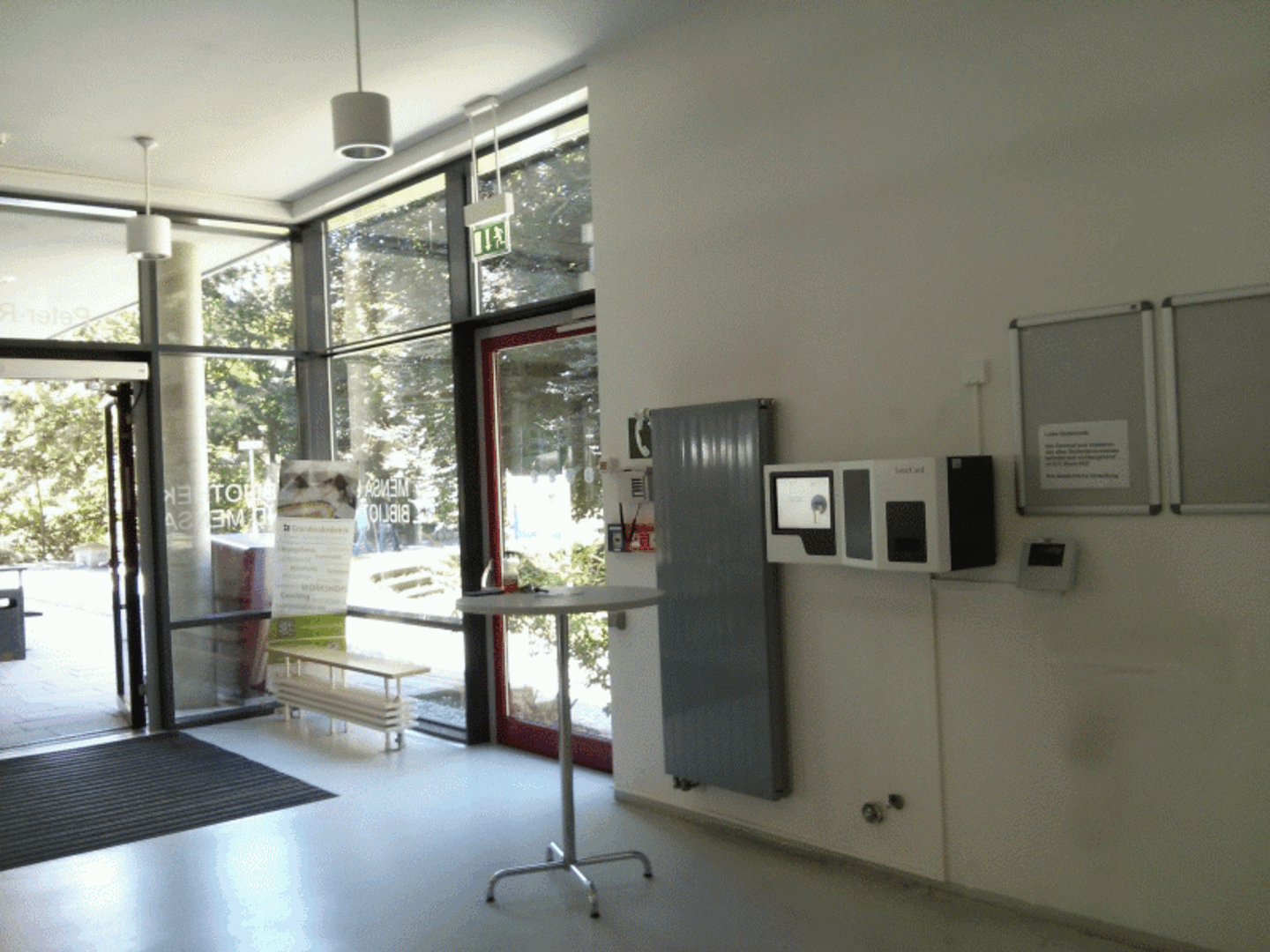
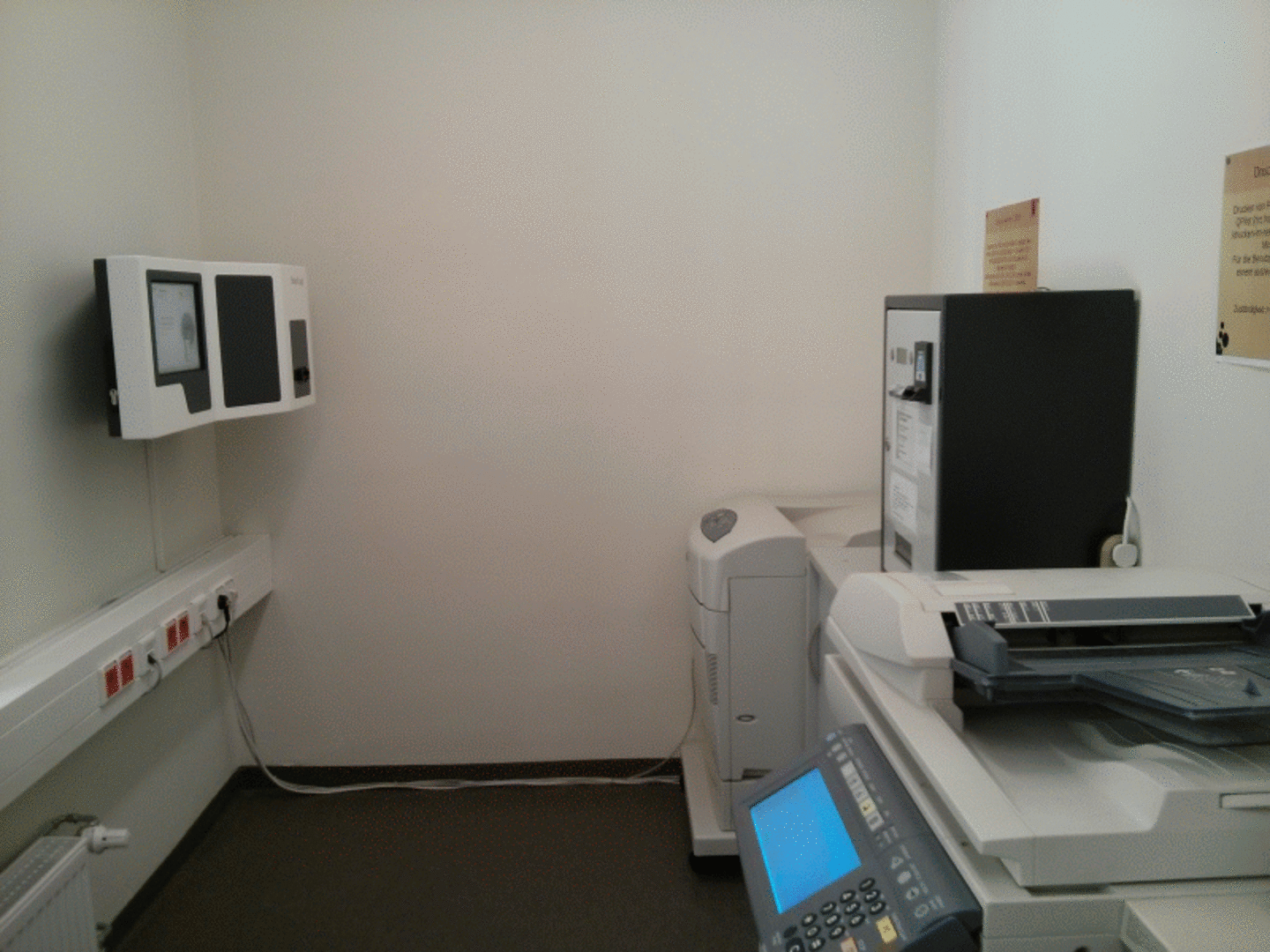
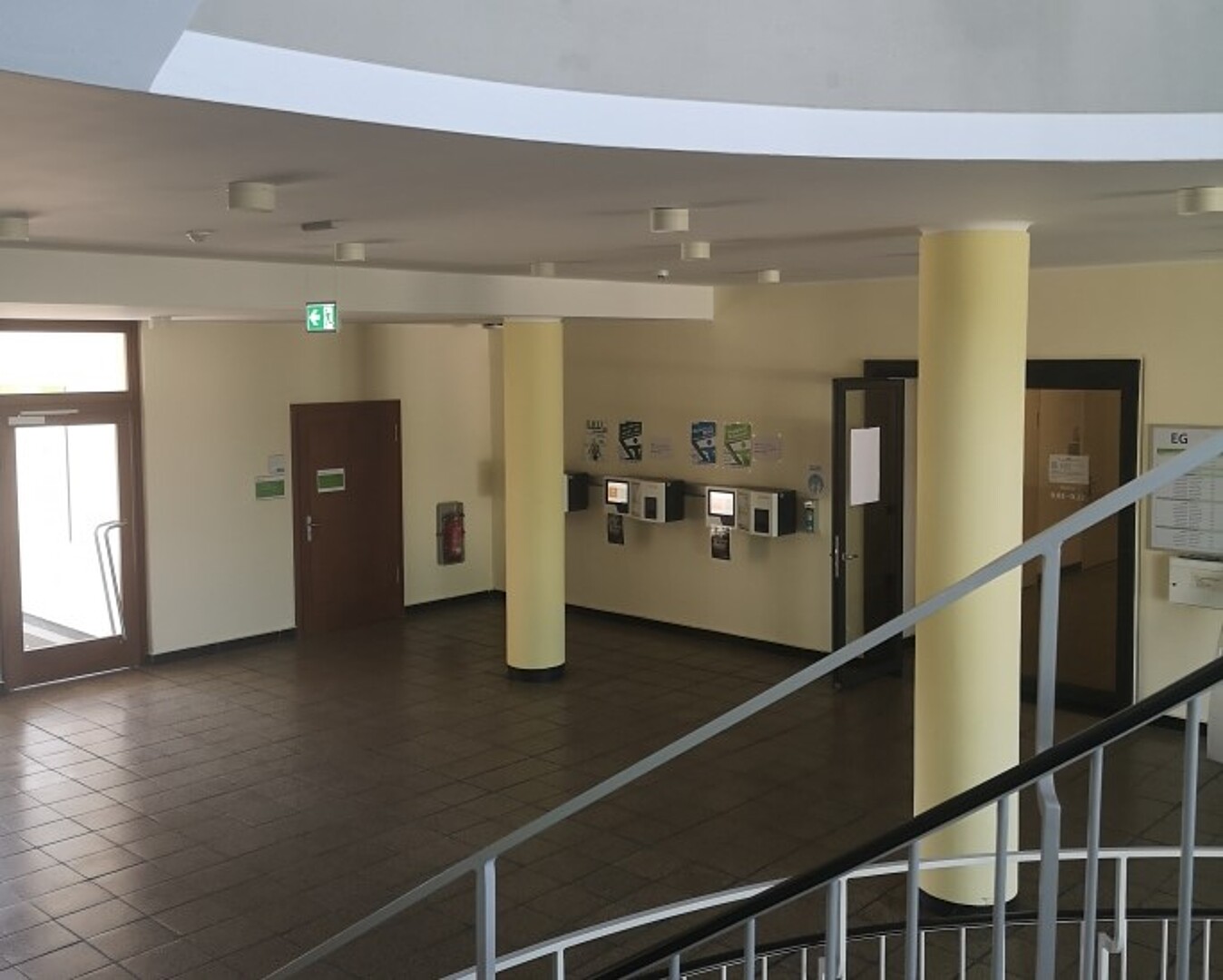
G V Student Canteen/Library Foyer 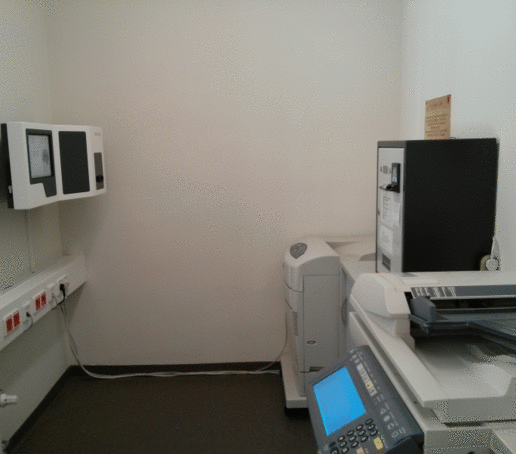
G II Main Building, Room 0.12 (Copy Room) 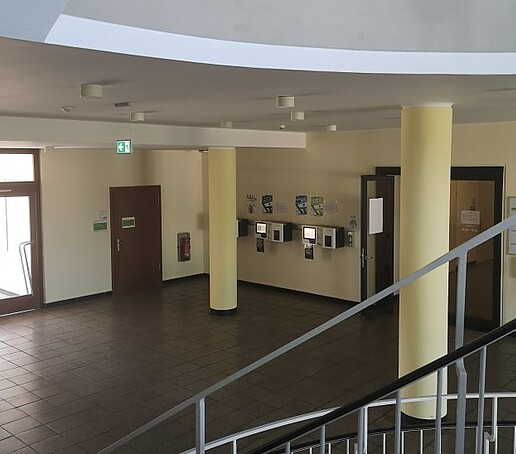
Z I, main entrance foyer 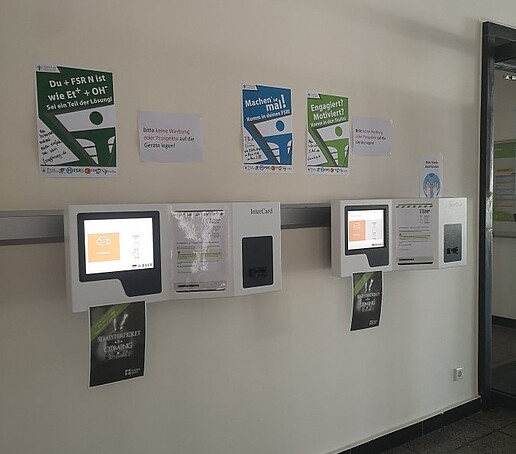
Z I, main entrance foyer -
Validity stamp for students at Zittau/Görlitz University of Applied Sciences: On the left, the card’s validity period for each semester (from the start to the end of the semester) is shown as a date. Your card has two validity periods. The validity period for the current semester (for which you are currently re-registered) is printed on the bottom line. Your previous semester (if applicable) is printed on the top line. The validity date of your Student Card is also updated on the chip.
Validity stamp for students at IHI Zittau: Here , the end date of the semester for which you have re-registered is printed on the card and updated on the chip.
Imprint students HSZG 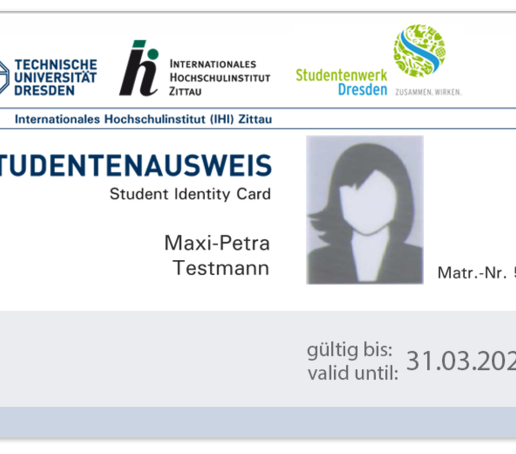
Imprint Students IHI Zittau -
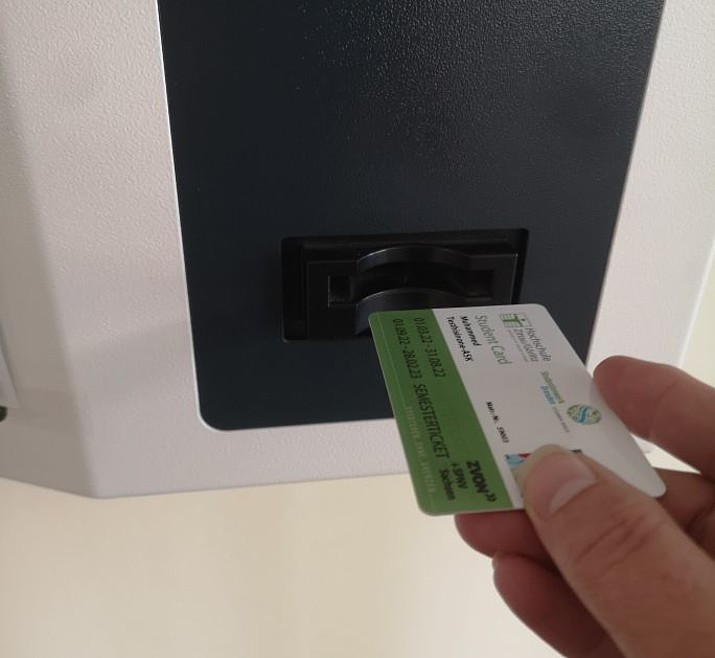
Card introduction There are four black bars at the top right of the back of the card. They are used for direction recognition at the validation machines. In order for the machine to recognize the card, these strips must be at the bottom right of the back.
Please hold your card so that your passport photo is at the bottom on the front and the validation strip is on the left-hand side (see photo). If you insert your card the wrong way round, the machine will display the message "Please insert card the other way round".
Information on direction recognition on your chip card can also be found here.
-
Please contact the Student Office. You can find the office hours here. Outside of office hours, please send an email to the staff at the Student Office or the technical support team. We will let you know when and where your card is ready for pickup.
Since the cards are fully inserted into the machines for validation, please make sure your card does not get bent.
-
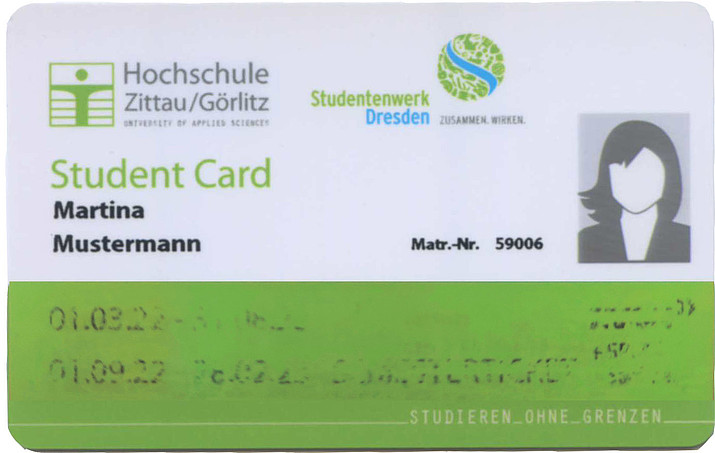
Example: worn and illegible thermal strip If the validation strip on your card—which shows the validity date and the semester ticket—is faded or not printed at all, either the validation terminal or the card is defective. In either case, please contact the Student Office. If your card is defective, you’ll need to apply for a new one. Please contact the Student Office for this as well. You can find the office hours here.
-
You have not been re-registered. Please contact the Contact Person listed below at the Student Office regarding re-registration. You can find the office hours here.
-
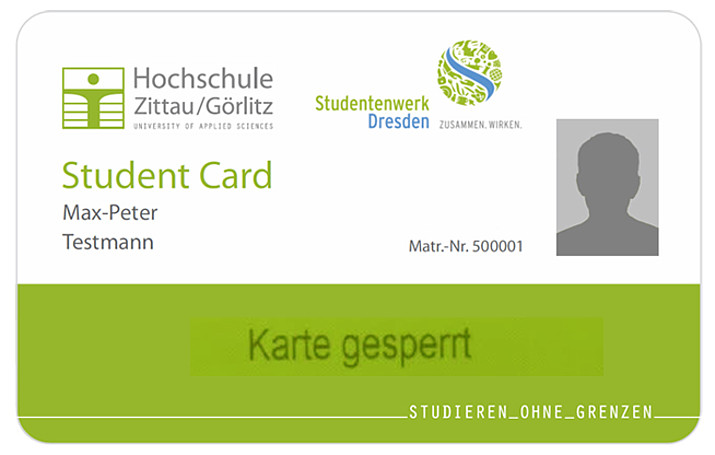
Imprint for invalid card If a card is invalid, “Card Blocked” is printed on it. This occurs in the following cases:
- The card has been reported lost.
- There are issues with your re-registration (e.g., late payment of your semester fees).
- You have been withdrawn from the university.
Please report the loss to the Student Office as soon as you notice it so that your card can be blocked in the system and you can receive a new card as quickly as possible. You can find the office hours here.
-
Your contact for technical problems:
Master's degreeMariusz StelmachDigital Service Center02763 ZittauTh.-Körner-Allee 16Building Z I, Room 1.07
1st floor+49 3583 612-4387
Diplom in Computer Science (FH)Anke HojenskiDigital Service Center02763 ZittauZittau, Th.-Körner-Allee 16Building Z l, Room 1.08
1st floor+49 3583 612-4296Your contact person for questions regarding re-registration:
Simone KunzeStudent Services & International Affairs02763 ZittauTheodor-Körner-Allee 16Building Z I, Room 0.06
First floor+49 3583 612-4263Student Services & International Affairs02826 GörlitzBrückenstraße 1Building G II, Room 253
1st floor+49 3581 374-4263Student secretariat in Görlitz:
Ines PosseltStudent Services & International Affairs02826 GörlitzBrückenstraße 1Building G II, Room B252
1st floor+49 3581 374-4262

Employees: Working time recording
-
Time Tracking:
Flexible working hours apply to employees of Zittau/Görlitz University of Applied Sciences (Service Agreement on the Introduction of Flexible Working Hours effective March 1, 2011, between Zittau/Görlitz University of Applied Sciences and the Staff Council). These employees have the right to freely organize their daily working hours within the framework of the service agreement and to determine the start of their workday themselves, taking institutional needs into account.
To do this, it is necessary to record working hours, maintain a time account for each employee, and document working hours at the time-recording terminals using the Campus Card.
Please correct any discrepancies, vacation time, or business trips using a correction form or a vacation request. You can find the forms on the intranet. For more information: Human Resources and Legal Affairs.
Data Transfer/Calculation/Web Portal:
Data is transferred automatically from the time-recording terminals to the time-recording system daily at 11:30 p.m. Afterward, the working time balance is recalculated, and the corresponding scheduled working time for the next day is entered. Every day at 12:30 a.m. and at 12:00 p.m., the recalculated balance is transferred back to the terminals.
Calculations are always based on data from the previous day. Never for the current day. At the URL zeitkonto.hszg.de, the following functions are available under the “My Functions” menu: “Time Tracking,” “Absence Calendar,” and “View Terminal Data.” You authenticate to the system using your university login.
Web-based Time Tracking:
Online time tracking is also available. Please log in using your university credentials. You can find the instructions on the intranet.
-
Time recording and web portal:
Diplom in Computer Science (FH)Anke HojenskiDigital Service Center02763 ZittauZittau, Th.-Körner-Allee 16Building Z l, Room 1.08
1st floor+49 3583 612-4296Time recording devices and web booking:
Diplom in Computer Science (FH)Jörn WussackDigital Service Center02763 ZittauZittau, Hochwaldstr. 2aBuilding Z V, Room 111
1st floor+49 3583 612-4222Digital Service Center02826 GörlitzGörlitz, Brückenstraße 1Building GII, Room 072
Basement+49 3581 374-4222Contact person for time recording: Last name A-M
Caroline SeidelHuman Resources Administration & Law02763 Zittau16 Th.-Körner-AlleeBuilding Z I, Room 2.03
2nd floor+49 3583 612-4461Contact person for time recording: Last name N-Z
Katrin PollierHuman Resources Administration & Law02763 Zittau16 Th.-Körner-AlleeBuilding Z I, Room 1.11
1st Floor+49 3583 612-4527Problems with your working time accountPlease report any problems or forward your correction document to the collective e-mail address: zeiterfassung.