
Campus Card for students
Our Campus Card for students is available in the “MyHSZG” Campus App!
Starting March 1, 2025, this new feature will be available in our Campus App . This allows you to use your student ID card digitally—initially for the Deutschlandticket, your student ID card, and your library card.
With just a few clicks, you’ll have the Campus Card right at your fingertips on your device and can conveniently start using the first digital features.
More features are coming soon!
Functions at a glance
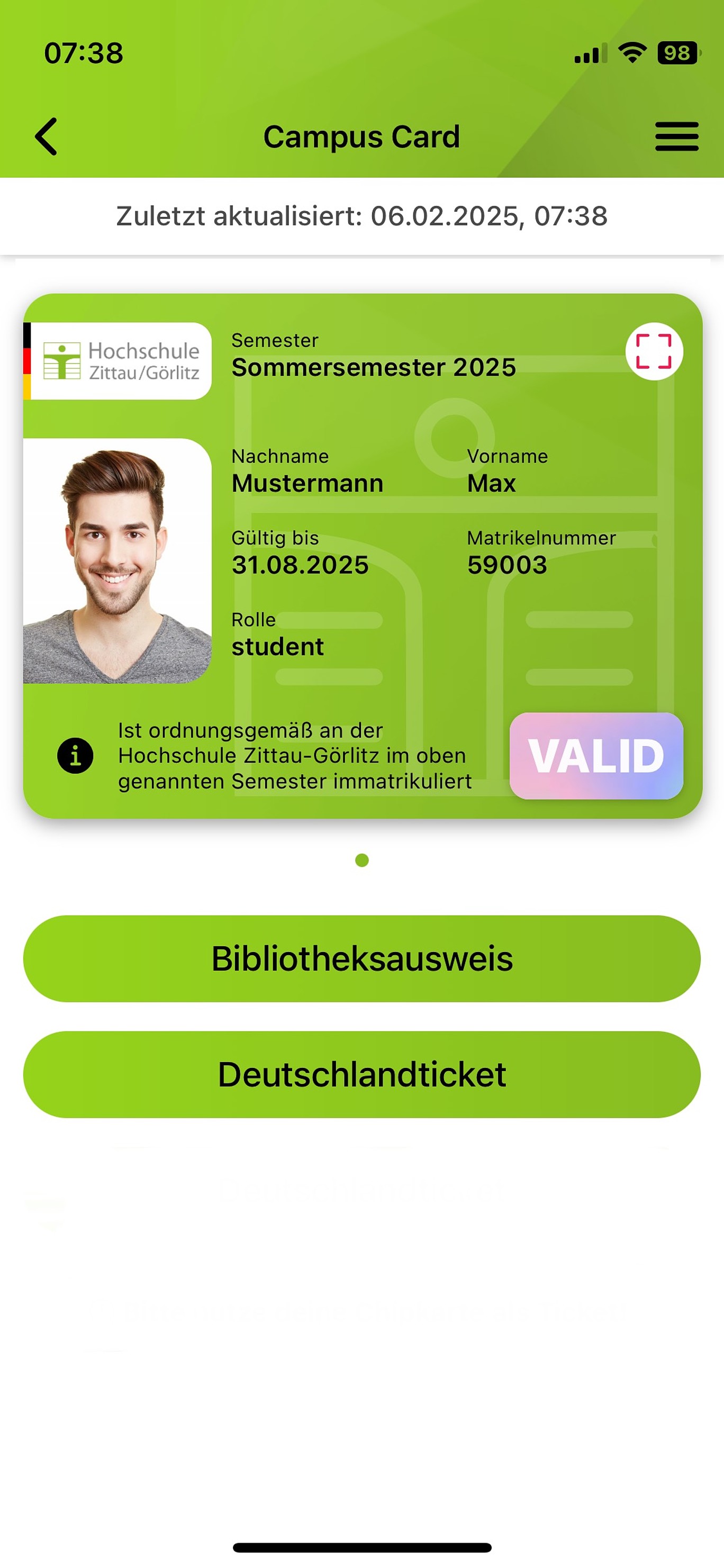
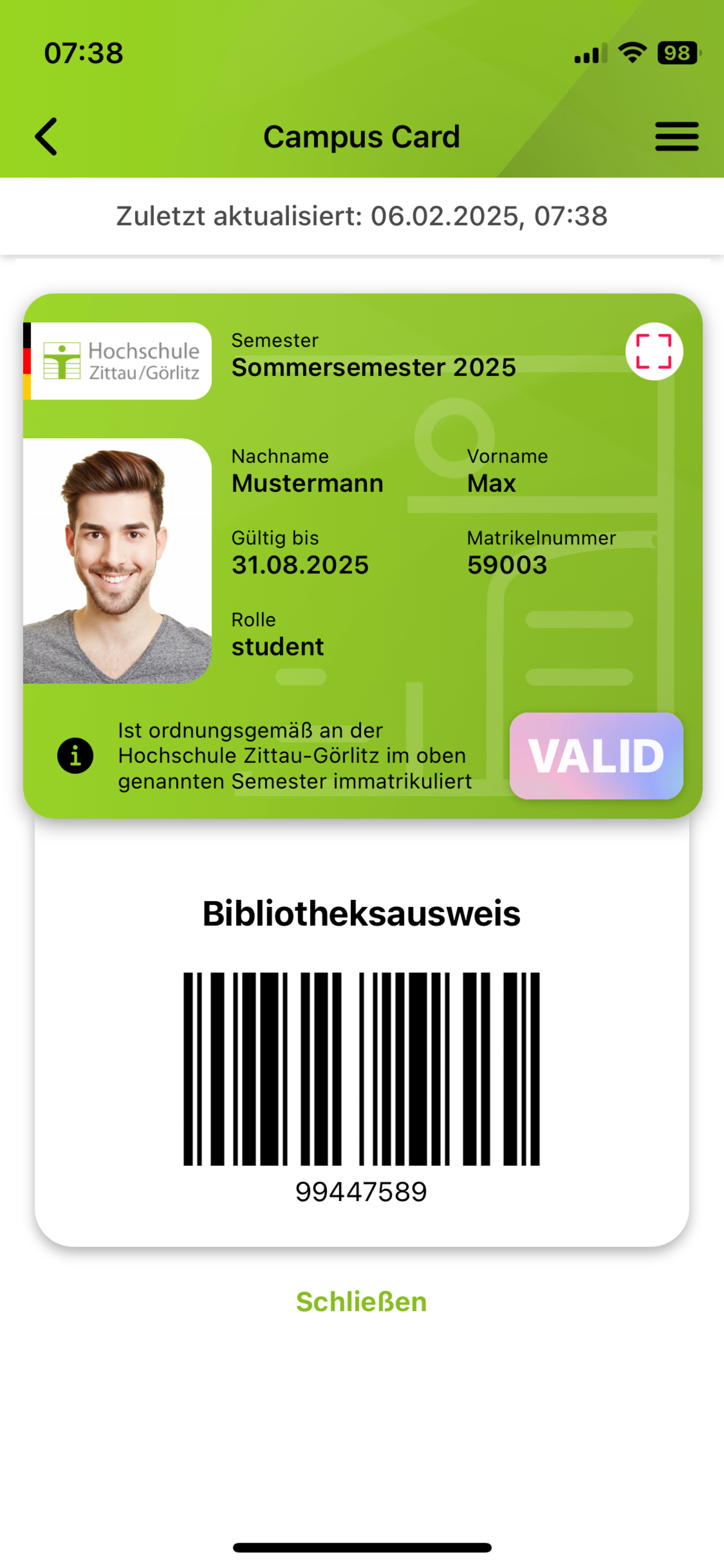
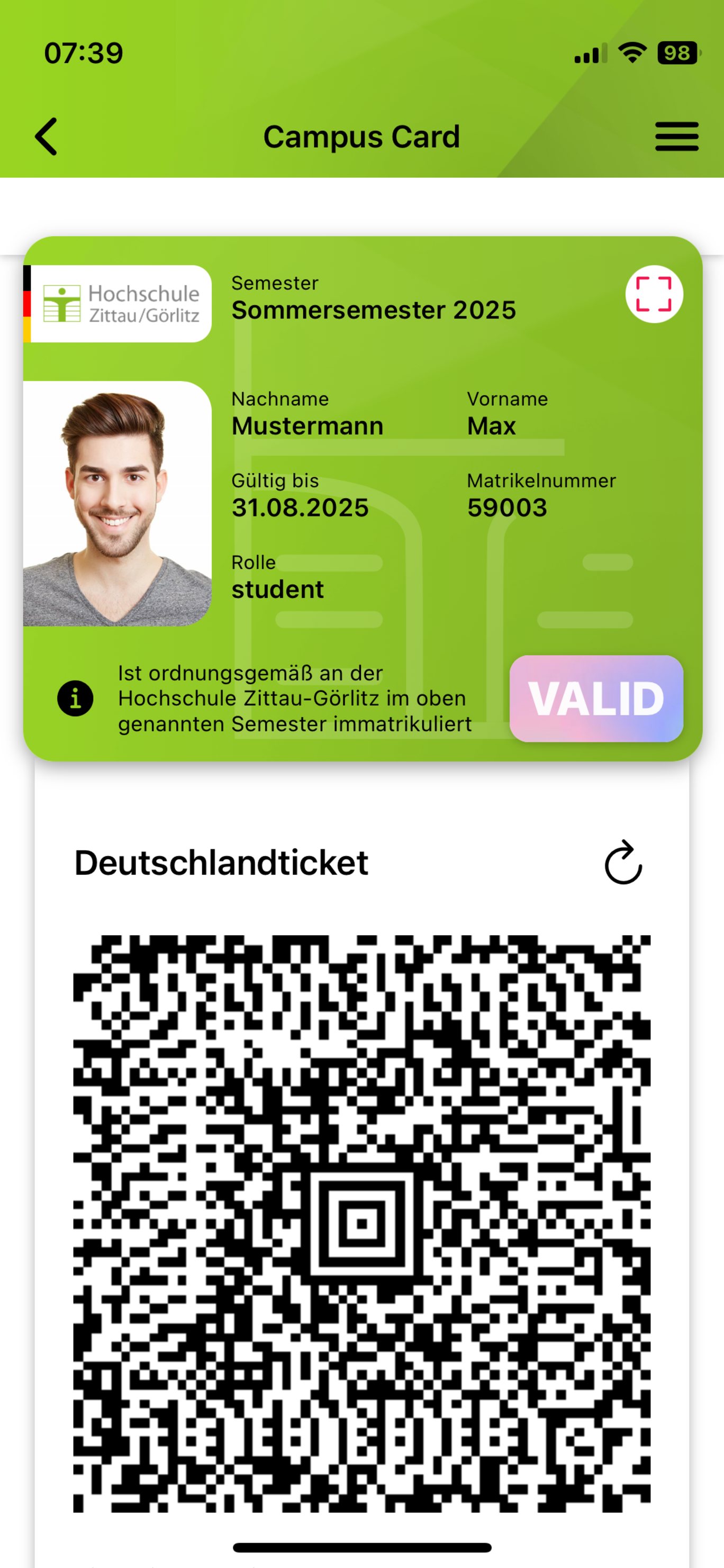
You can still only use the access and payment functions, as well as the printing service, with your physical ID card. We're working on integrating these functions into the digital Campus Card as well.
You can find information about the physical student ID card here.
Get the Campus Card on your device now



How to access the digital Campus Card in the "MyHSZG" Campus App
Step 1
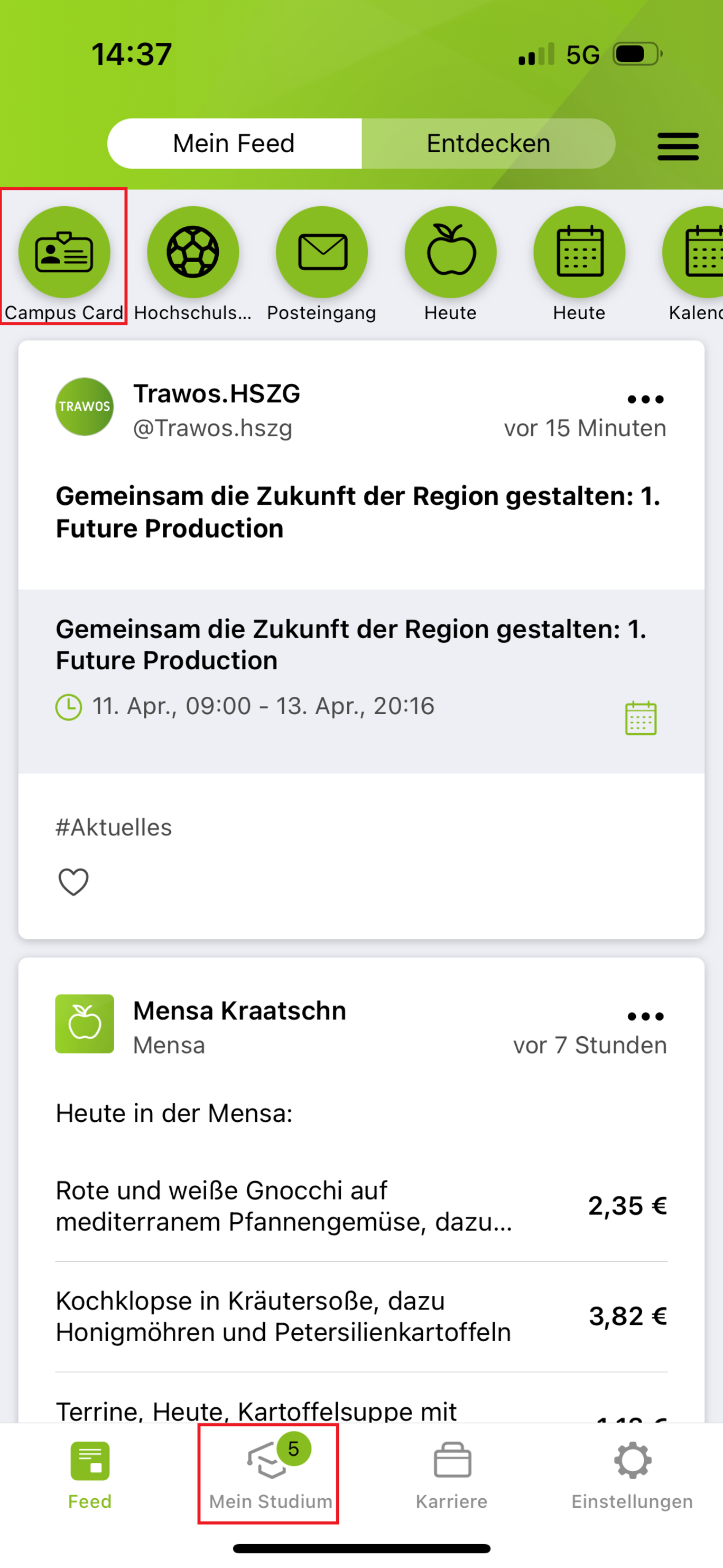
You can access your digital Campus Card via the shortcuts (at the top of the image) or via the "My studies" tab (at the bottom of the image).
Step 2
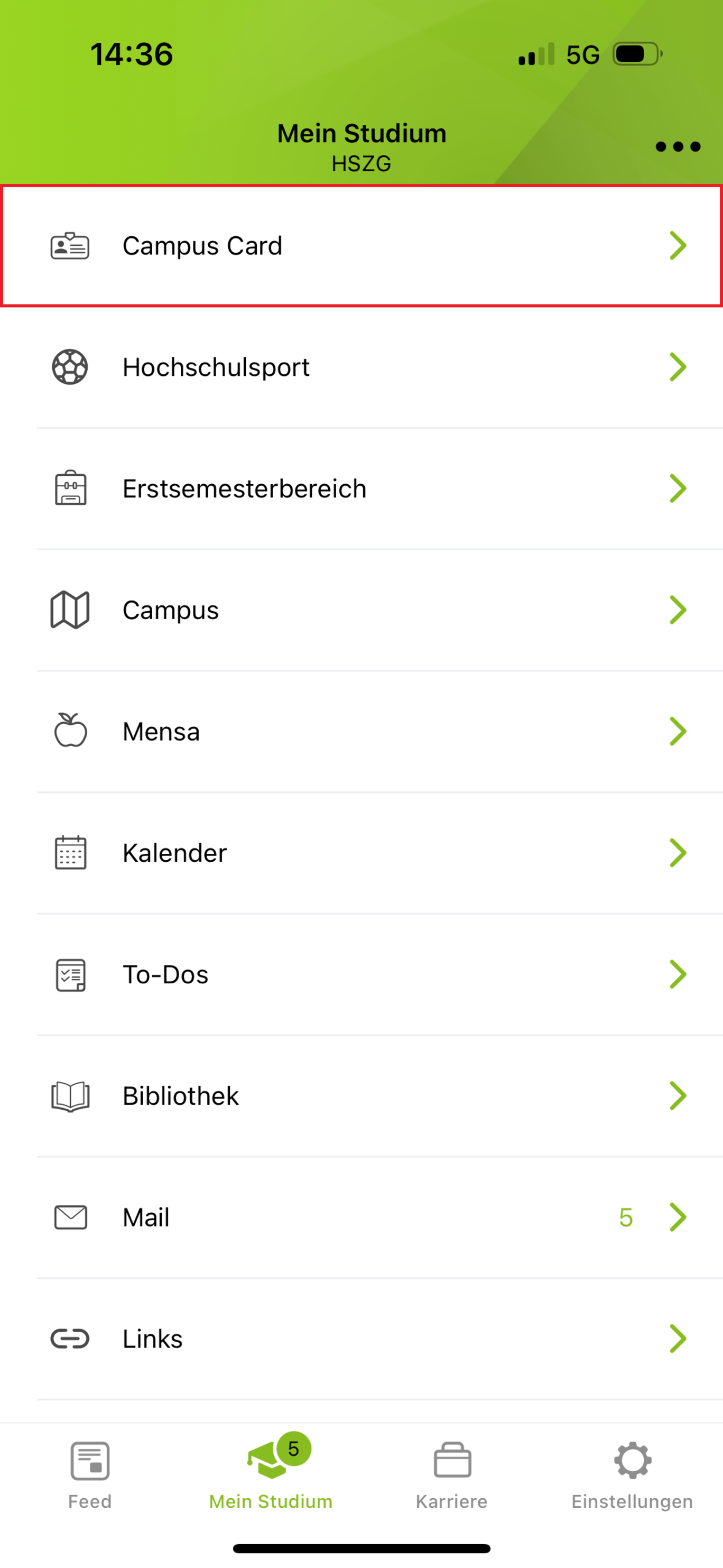
If you have used the "My studies" tab, you must next click on the "Campus Card" module.
Step 3
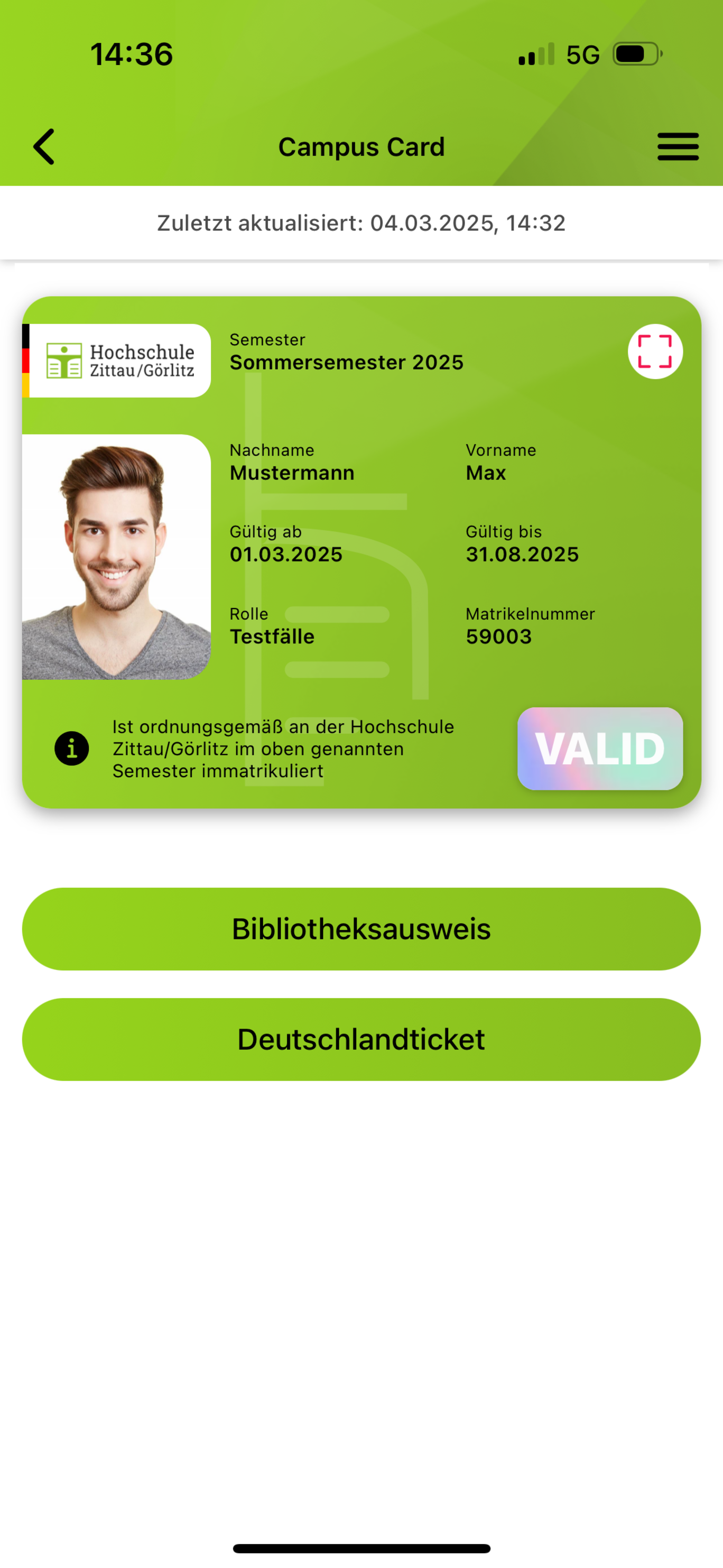
Your digital Campus Card is now ready for you.
Please note with the Germany ticket!
The Deutschlandticket can still be found in the NETINERA app until 28.02.2025. The Deutschland-Semesterticket in the "MyHSZG" app is only valid from 01.03.2025. Install the "MyHSZG" app on your device in good time and check on 01.03. before you get on the train/bus whether the ticket is loaded and visible. This will ensure that the changeover goes smoothly.
If you have any questions during this period, you can contact us by email at semesterticket(at)hszg.de or by phone on 03583 612-3353 (Stura).
- Install the "MyHSZG" app
- Log in to the app using your university login
- Select "Campus Card" in the "My Studies" tab
- Accept and confirm the terms of use
- Load the ticket onto your digital ID card
- DONE!
Questions and answers
Do you have questions about the digital Campus Card? We have compiled the most frequently asked questions and the corresponding answers for you here:
-
Here we show you how to get your digital Campus Card.
-
For technical problems with the "MyHSZG" app, you can use the support chat directly in the app.
For all other questions and problems regarding the Campus App and Campus Card, please contact our ticket system campusapp(at)hszg.de
-
If no passport photo is displayed on your digital Campus Card, please log in to e-Campus with your login details and upload your passport photo there.
-
The digital Campus Card can be used on up to 3 devices.
-
We look forward to your feedback and suggestions for improvement! Simply send your suggestions by e-mail tocampusapp(at)hszg.de. Our team will check your message and get back to you as soon as possible.
-
Yes, the digital Campus Card can be used offline for up to 5 days. After that, an internet connection is required to check the validity and update the Campus Card.
-
No, the digital Campus Card is not mandatory, and you can continue to use your physical student ID card. Please note, however, that the Deutschlandticket is available exclusively through the Campus App using the digital Campus Card.
-
No, not yet —but this feature will be available in the future! We're working on integrating the digital Campus Card as a payment option in the student canteen. Currently, payment is only possible with a physical student ID card.
-
Yes, if you have paid for the Deutschlandticket via the semester fee, you can use it via the digital Campus Card in the Campus app.
-
Yes, the digital campus card can be used as a library card. It grants access to library services such as borrowing books and using other resources.
-
No, not yet —but we're working on making this feature available in the future. Currently, access is only possible with a physical student ID card.
-
Yes, the digital Campus Card can be used as a visual ID and, in this capacity, replaces the physical student ID card. You can use it to get discounts wherever a student ID card is required as proof of student status.
Information about the ticket has been compiled for you on the "SturaHSZG" website.
Your points of contact at the university


1st floor
Data protection
You can find our privacy policy HERE.